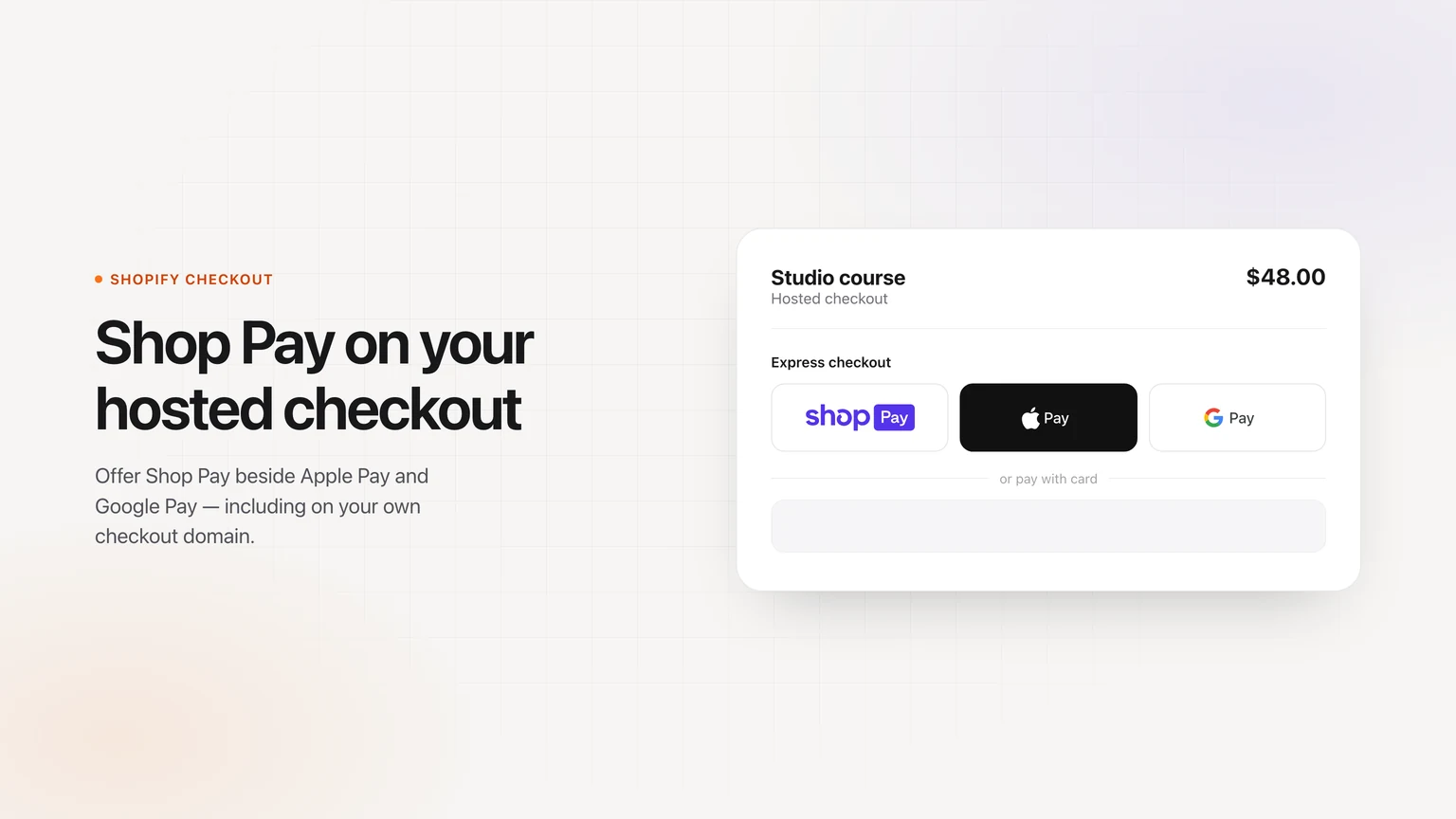
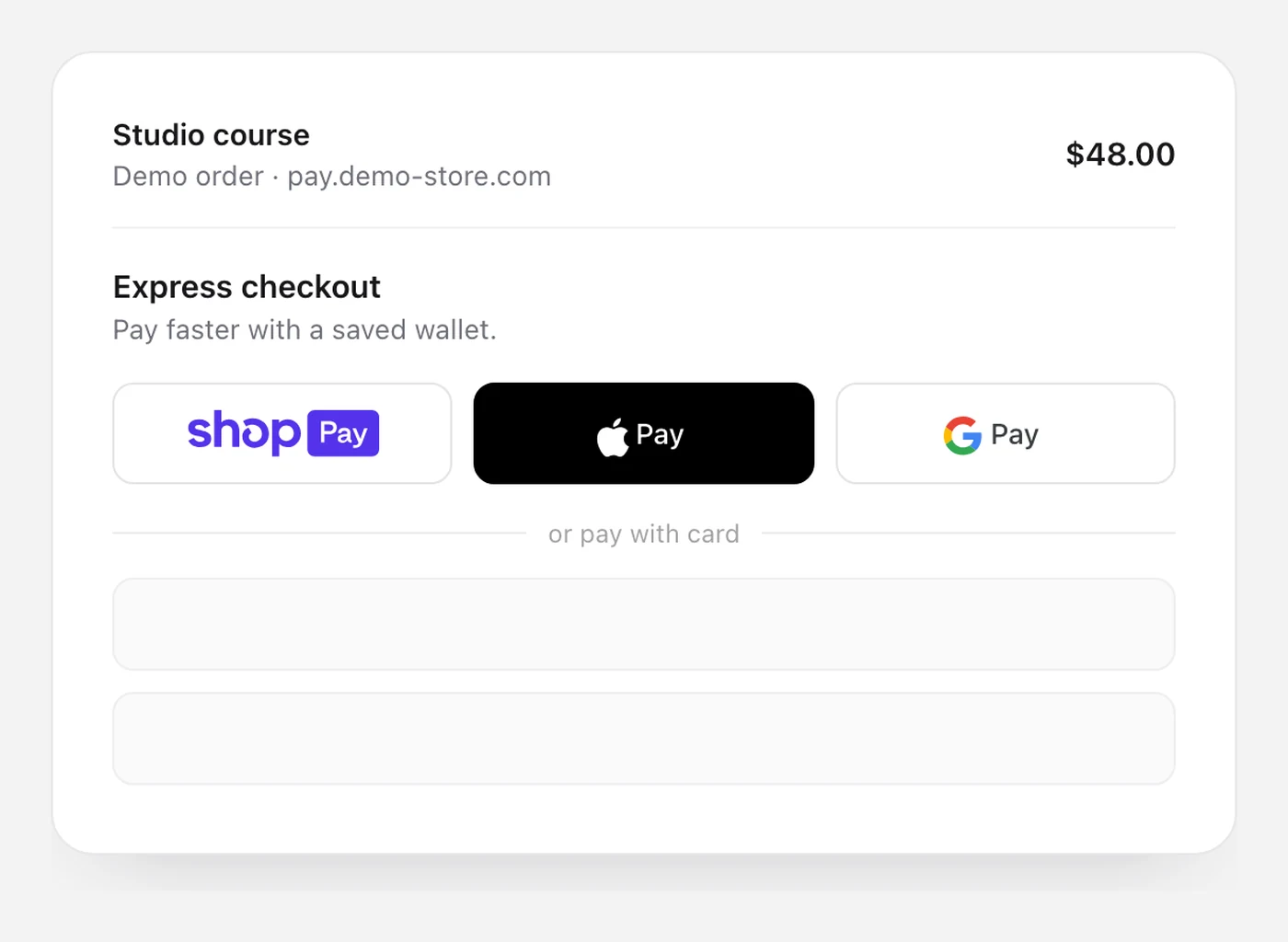
You can offer Shop Pay on the hosted checkout buyers reach from your Shopify cart — the same page that can live on a Checkout Flow domain or on your own custom checkout domain. It sits beside Apple Pay and Google Pay.
This is not Shop Pay on a regular Whop product or funnel checkout, and it is not a checkout script you drop on any website. If you sell on Shopify through our app, this is the setup.
Install our app from the official Whop App Store if you have not already, or preview the Shopify checkout. New to Whop? Create a Whop account.
What you need
- Our app, installed on your Whop company, with your Shopify catalog store already connected
- A dedicated Wallet store (a separate Shopify store from the one that holds your products)
- Shopify Payments turned on in that Wallet store
- A few minutes to copy values from the Shop sales channel and allowlist your checkout address
Turn on Shop Pay
1. Open Shopify in the app
Install our app from the official Whop App Store and connect your Shopify store if that is not done yet. The 4-step connect guide walks through that part. Then open Shopify in the app sidebar.
2. Open Shop Pay in Shopify settings
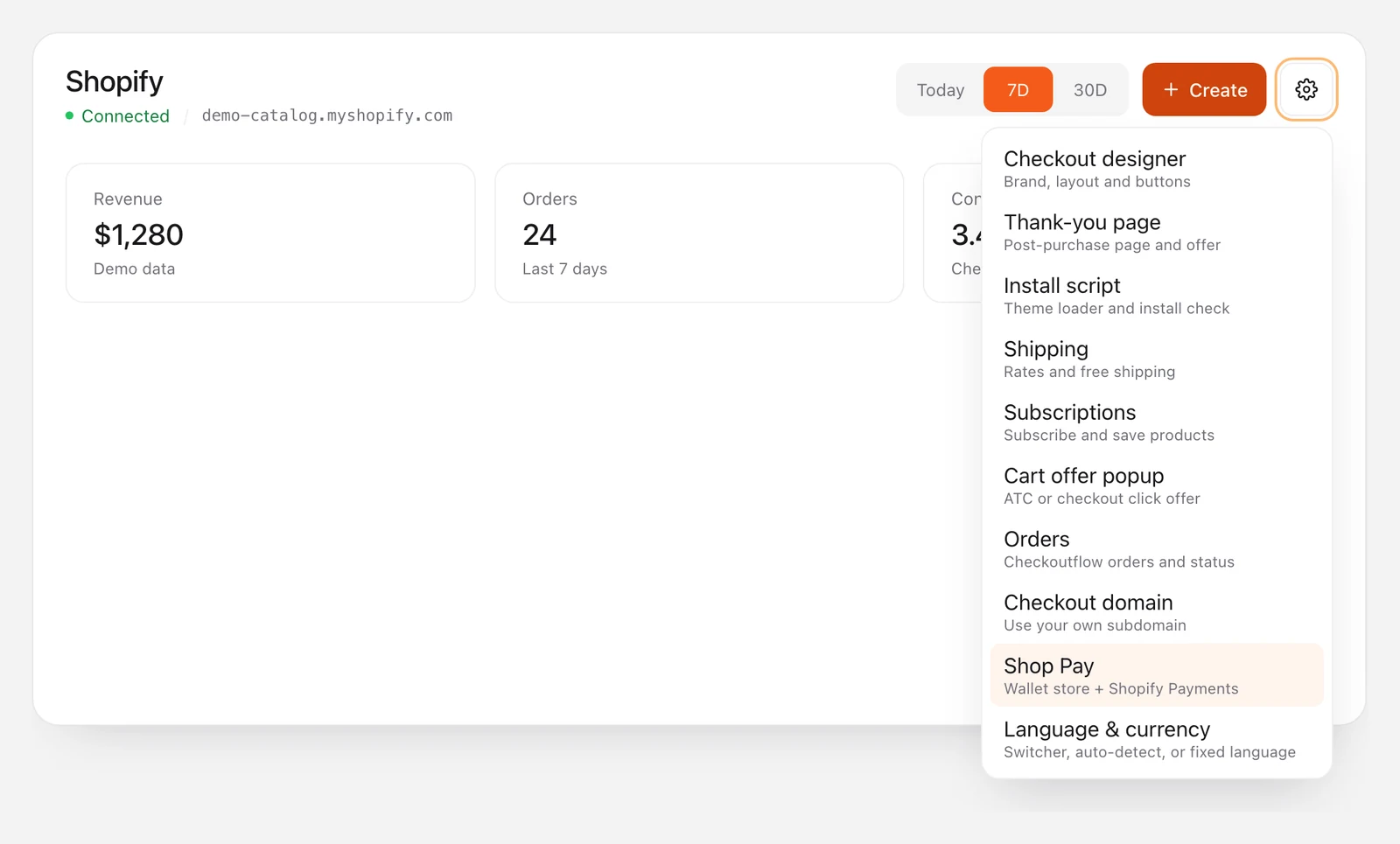
On the Shopify screen, open settings (the gear) and click Shop Pay. You will land on the Shop Pay setup panel.
3. Use a dedicated Wallet store and turn on Shopify Payments
Shop Pay needs its own Wallet store, separate from the catalog store that holds your products. Create that store if you do not have one, then turn on Shopify Payments in its admin. The panel links out if you need a new Wallet store.
4. Copy the Shop sales channel values and allowlist your checkout domain
In the Wallet store, open the Shop sales channel and copy the Shop ID, Client ID, Wallet shop domain, and Storefront API token into the matching fields in the app.
Also add your checkout address to the Shop sales channel domain allow list — the full address buyers see, including a custom checkout domain if you use one. If that address is missing, the Shop Pay button can appear for a moment and then disappear.
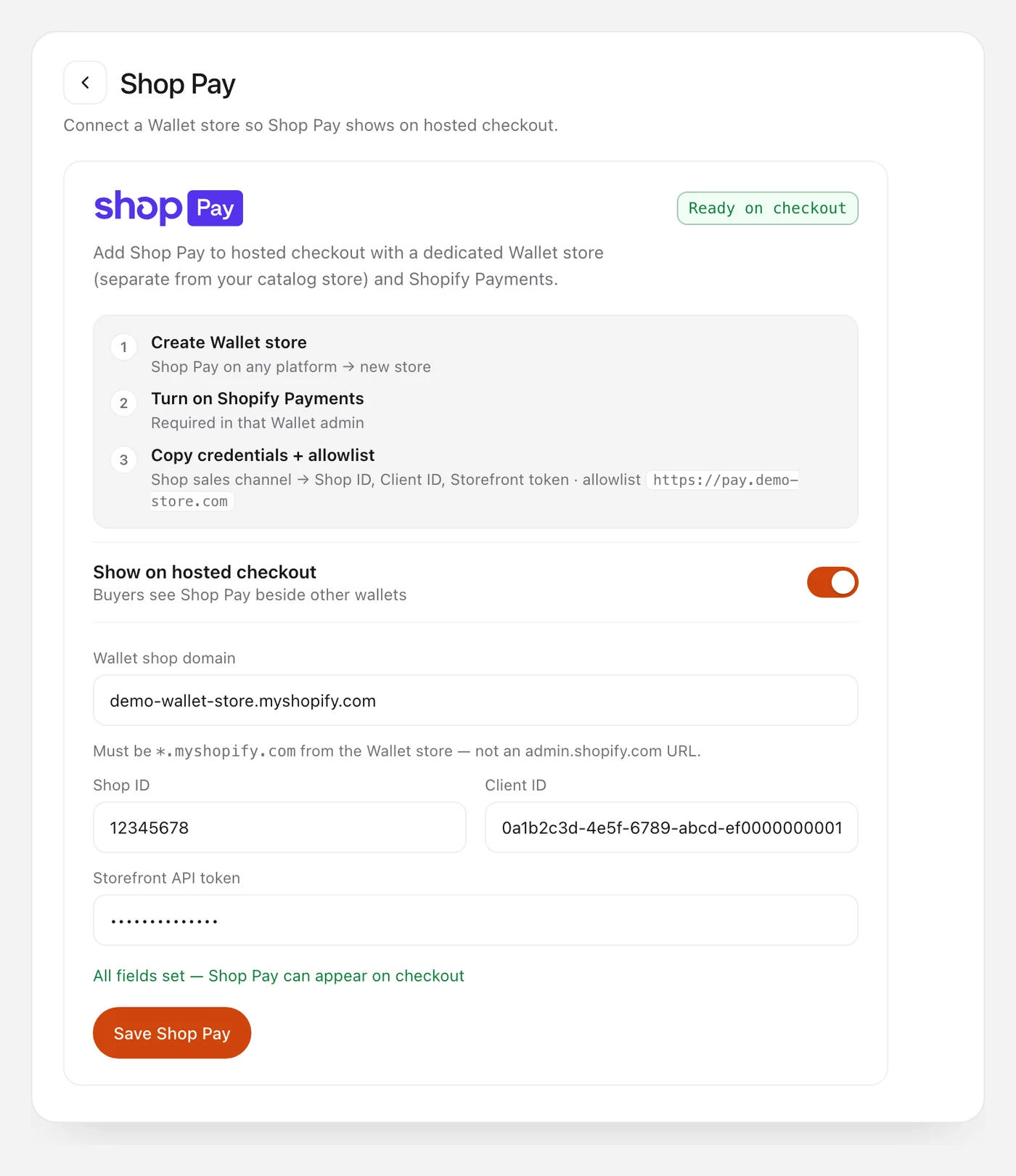
5. Turn on “Show on hosted checkout” and save
Flip the Show on hosted checkout switch so buyers see Shop Pay beside the other wallets, then click Save Shop Pay. The panel should show that Shop Pay can appear on checkout.
6. Place a test order
Open a product on your Shopify store, go through to the hosted checkout, and confirm Shop Pay is in the express row next to Apple Pay and Google Pay. Try the demo to see the hosted checkout layout, then test on your own connected store.
Add one-click upsells to your Whop
Install OneClick Upsell from the Whop App Store and offer a post-purchase upsell in a few minutes.
What Shop Pay covers — and what it does not
- Yes: the hosted Shopify checkout from our app, including a verified custom checkout domain once that address is allowlisted.
- Not in this setup: regular Whop funnel checkout, or the embed checkout you paste onto a page.
- Payments: Shop Pay is billed through Shopify Payments on the Wallet store. It is not a Whop payment, so payouts follow that Wallet store, not your Whop balance.
- Orders: the paid order still syncs back to your Shopify catalog for fulfillment.
- Upsells: Shop Pay buyers skip one-click upsells for now and go on to the thank-you page.
Next step
Install our app from the official Whop App Store, connect Shopify, and open Shop Pay in Shopify settings. Most of the work is the Wallet store and the domain allow list. You can also preview the Shopify checkout or start selling on Whop.
FAQ
Does your app integrate with Shop Pay?
Yes. You can offer Shop Pay on the hosted Shopify checkout, including a custom checkout domain, after you connect a Wallet store and turn it on in the app.
Can buyers use Shop Pay on a regular Whop checkout?
No. Shop Pay is available on the hosted Shopify checkout from our app, not on regular Whop product, funnel, or embed checkout.
Can I use Shop Pay on my own checkout domain?
Yes. If you have set a custom checkout domain in the app, add that full address to the Shop sales channel allow list. The button will not stay on the page until the address matches.
Do Shop Pay payments go to my Whop account?
No. Shop Pay charges are billed through Shopify Payments on the dedicated Wallet store. Card, Apple Pay, and Google Pay on the same checkout still run through your Whop company. The order still lands in your Shopify catalog.
Can Shop Pay buyers take a one-click upsell?
Not at this time. After a Shop Pay payment, buyers go to the thank-you page. Apple Pay, Google Pay, and card buyers can still take one-click upsells.
Why would the Shop Pay button disappear?
The usual cause is a checkout address that is not on the Shop sales channel allow list, or Shopify Payments on the Wallet store that is not fully set up. Add the exact address buyers see, then reload checkout.
Do I need Shopify Payments on my main store?
Shop Pay needs Shopify Payments on the Wallet store. Your catalog store can stay connected to Whop checkout as usual.
Related reading
Ready to raise your order value?
Install OneClick Upsell on Whop and build your first upsell funnel today.
Some links to Whop on this site are affiliate links. If you sign up through them we may earn a commission, at no extra cost to you.