Supliful lets you sell private-label supplements, coffee and similar catalog products without holding inventory. Shopify gives you the storefront. Whop can run checkout and payouts. That combination is a practical way to launch a supplement brand — as long as you pick products carefully, keep claims conservative, and set the business up so customers can reach you.
This guide is the checkout and setup side: Whop account, Shopify, the Supliful apps, one-click upsells, Shop Pay, and a “Set up your business for success on Whop” checklist. For abandoned-cart recovery, a welcome flow and reorder reminders, the EmailSync team wrote Sell supplements on Whop with email: cart recovery and welcome flows.
How the three tools fit together
- Supliful supplies the products, prints your label, packs the order and ships it from its US fulfillment center. There is a Supliful app on the official Whop App Store and a separate Shopify app, Supliful: Dropship Supplements.
- Shopify holds your storefront, cart, customer accounts and fulfillment records.
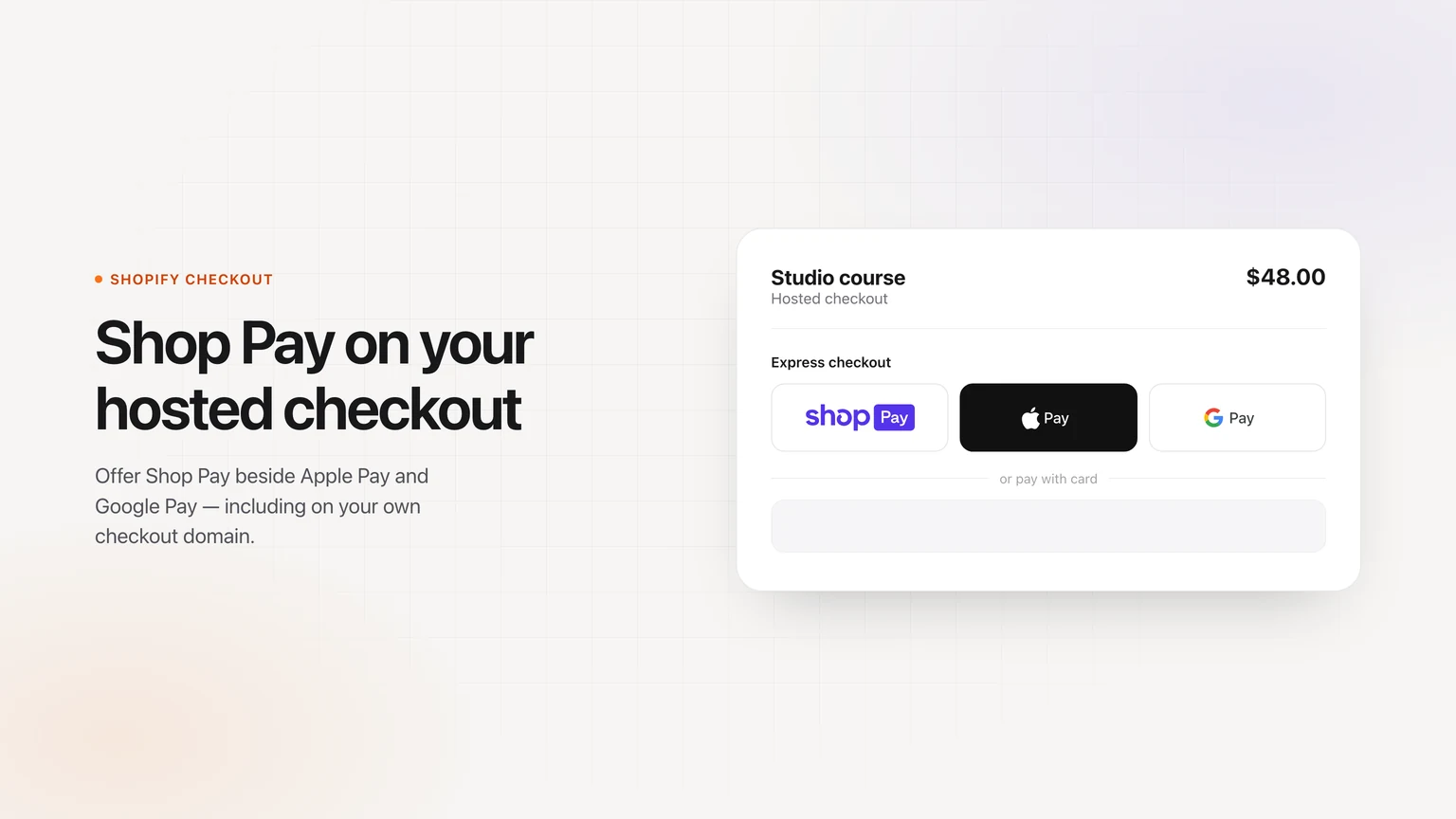
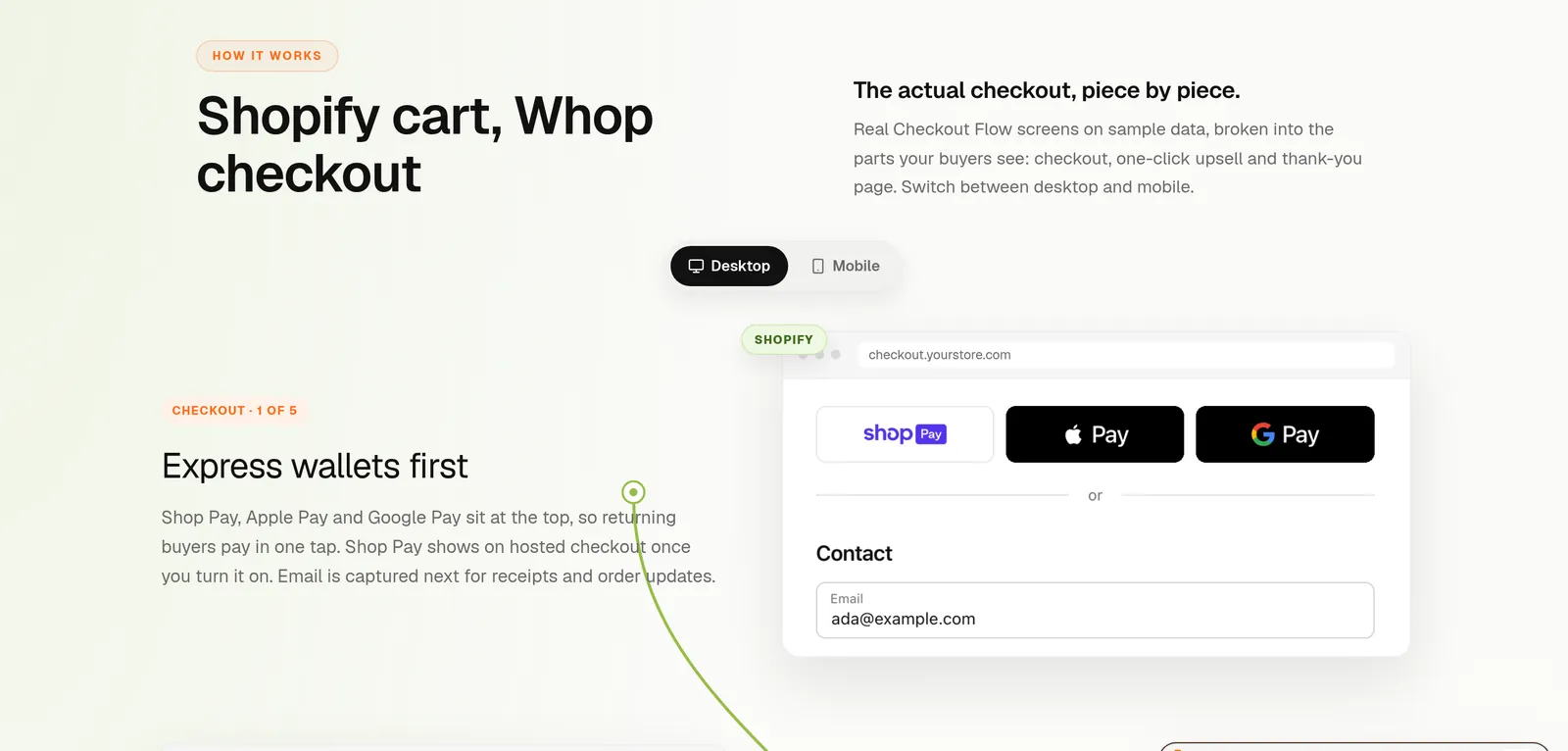
- Whop can take the payment. Our app on the official Whop App Store connects your Shopify catalog to Whop checkout, can add order bumps and one-click upsells, and can offer Shop Pay on hosted Shopify checkout.
A paid order can flow back to Shopify, then to Supliful for fulfillment. When Supliful adds a tracking number on Shopify, our app can copy that shipment onto the matching Whop payment — with one important limit described below.
What Whop’s policy actually says
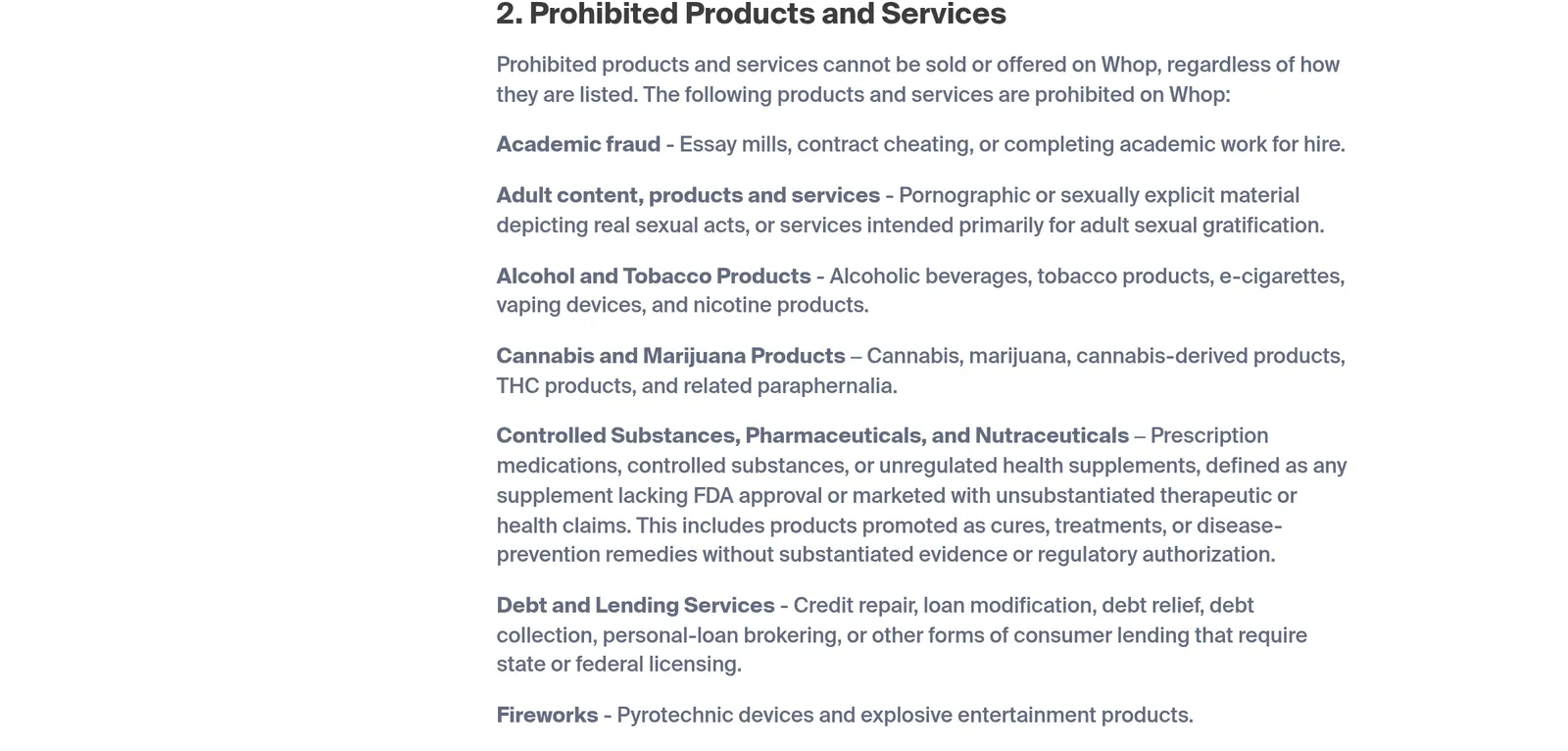
Whop does not publish a list of approved supplement SKUs. The Prohibited Products and Services Policy groups supplements under “Controlled Substances, Pharmaceuticals, and Nutraceuticals.” It prohibits prescription medications, controlled substances, or “unregulated health supplements, defined as any supplement lacking FDA approval or marketed with unsubstantiated therapeutic or health claims.” That includes products promoted as cures, treatments or disease-prevention remedies. The same page also prohibits cannabis, marijuana, cannabis-derived products, THC products and related paraphernalia, and adult products or services intended primarily for sexual gratification.
Whop’s trust and safety docs cover the same ground. Restricted categories may be permitted only with prior approval, and the docs use “a fitness offer that also sells peptides” as an example of a mix that can cause problems.
Two practical consequences:
- Everyday dietary supplements are generally not FDA-pre-approved as drugs. The safe reading is to avoid disease, weight-loss, sexual-enhancement and other drug-like claims, add a standard disclaimer, and ask Whop if you are unsure — not to assume a protein powder is automatically allowed.
- The Supliful app on Whop existing is not approval of every item in the Supliful catalog. Nothing in this article is a Whop approval. Treat the list below as products that are likely within policy if you keep claims conservative, and check Whop’s policy before you sell.
Add one-click upsells to your Whop
Install OneClick Upsell from the Whop App Store and offer a post-purchase upsell in a few minutes.
Ready-to-sell products from Supliful (likely within policy)
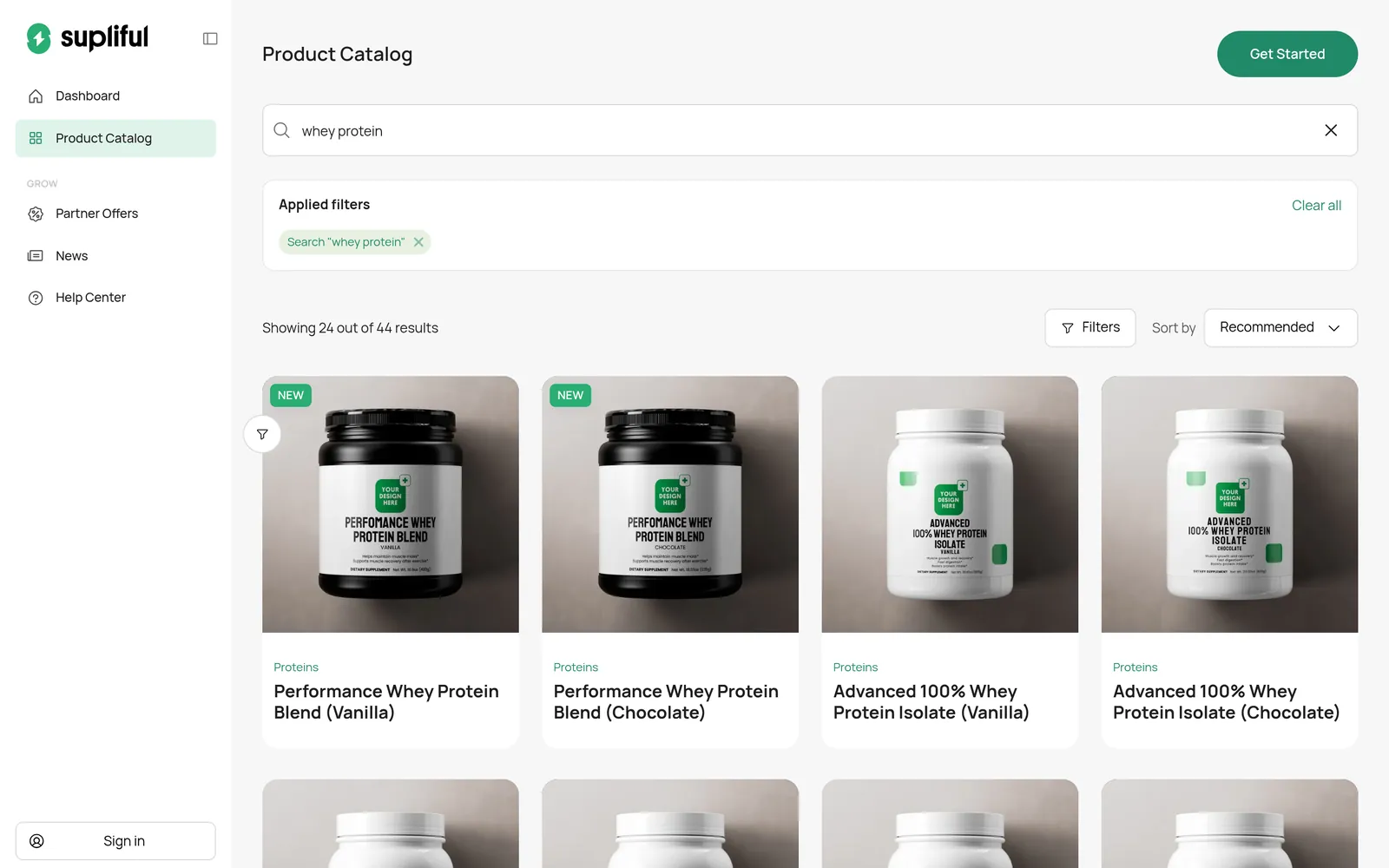
These are real catalog products on supliful.com as of November 16, 2026. They are ordinary sports-nutrition and beverage items. Use your own, conservative product copy even if a vendor page uses stronger language. This is not a Whop approval — check Whop’s policy.
Protein
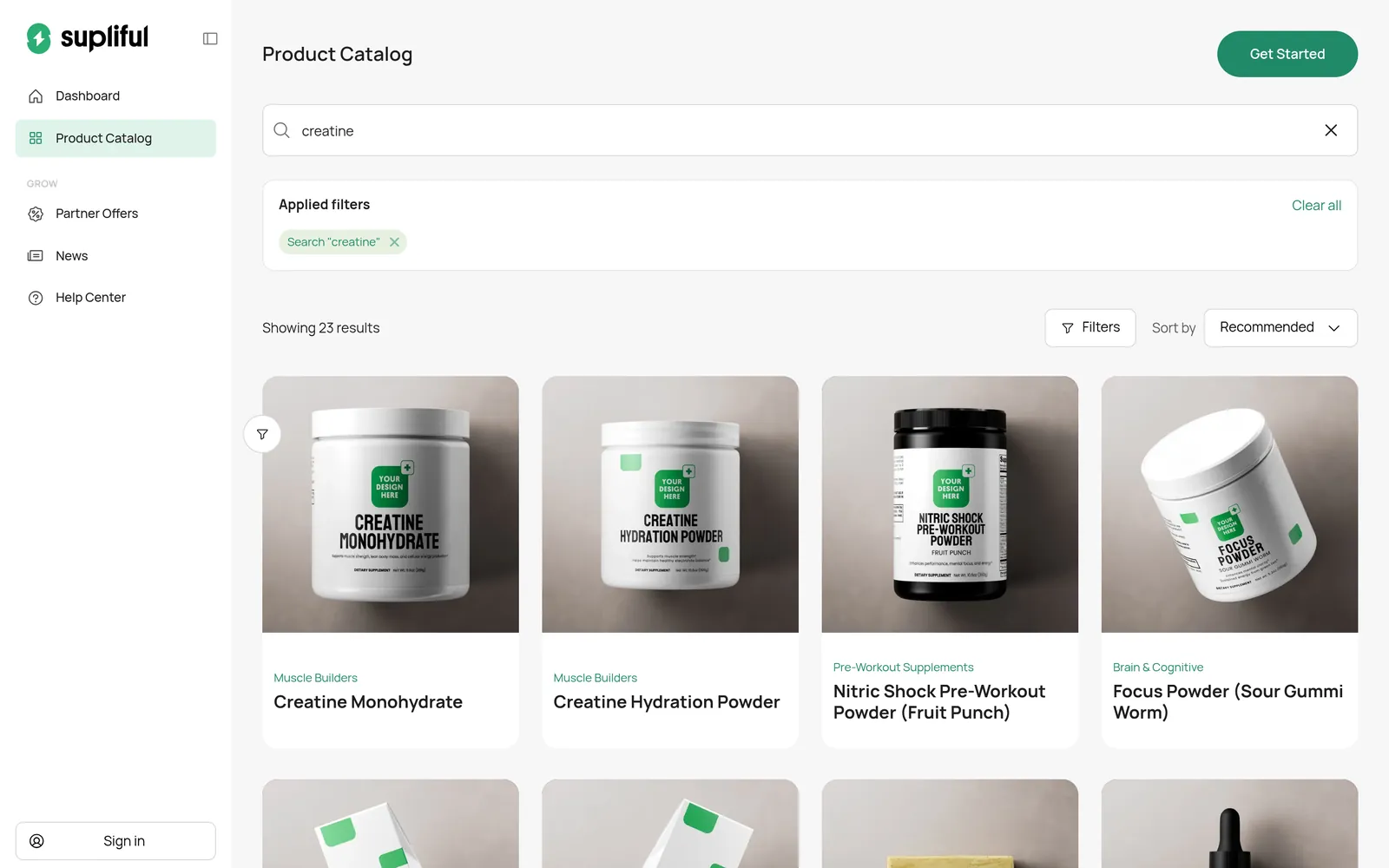
Creatine
Collagen, greens, hydration, coffee and tea
- Grass-Fed Collagen Creamer (Vanilla)
- Grass-Fed Collagen Peptides Powder (Chocolate)
- Greens Superfood — describe it as a daily greens powder, not a detox or immune “cure”
- Hydration Powder (Lemonade)
- Hydration Powder (Lychee)
- Chocolate Bold Coffee (Dark Roast)
- Ceremonial Matcha Powder
A straightforward bundle for an order bump or one-click upsell is Creatine Monohydrate plus a whey protein, or creatine plus a hydration powder. We did not find a shaker bottle in the public catalog, so do not invent one as an add-on.
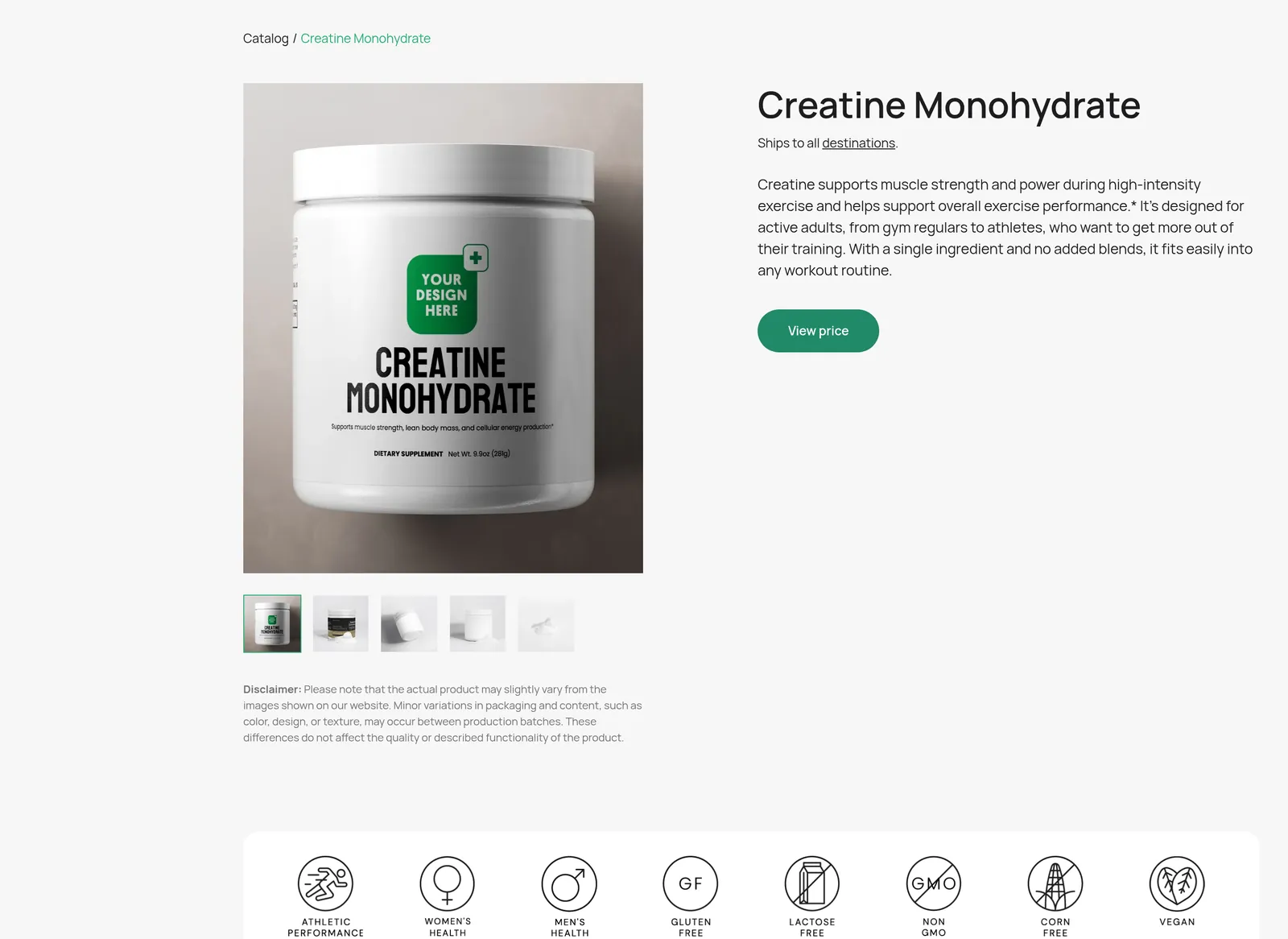
Categories and claims to avoid
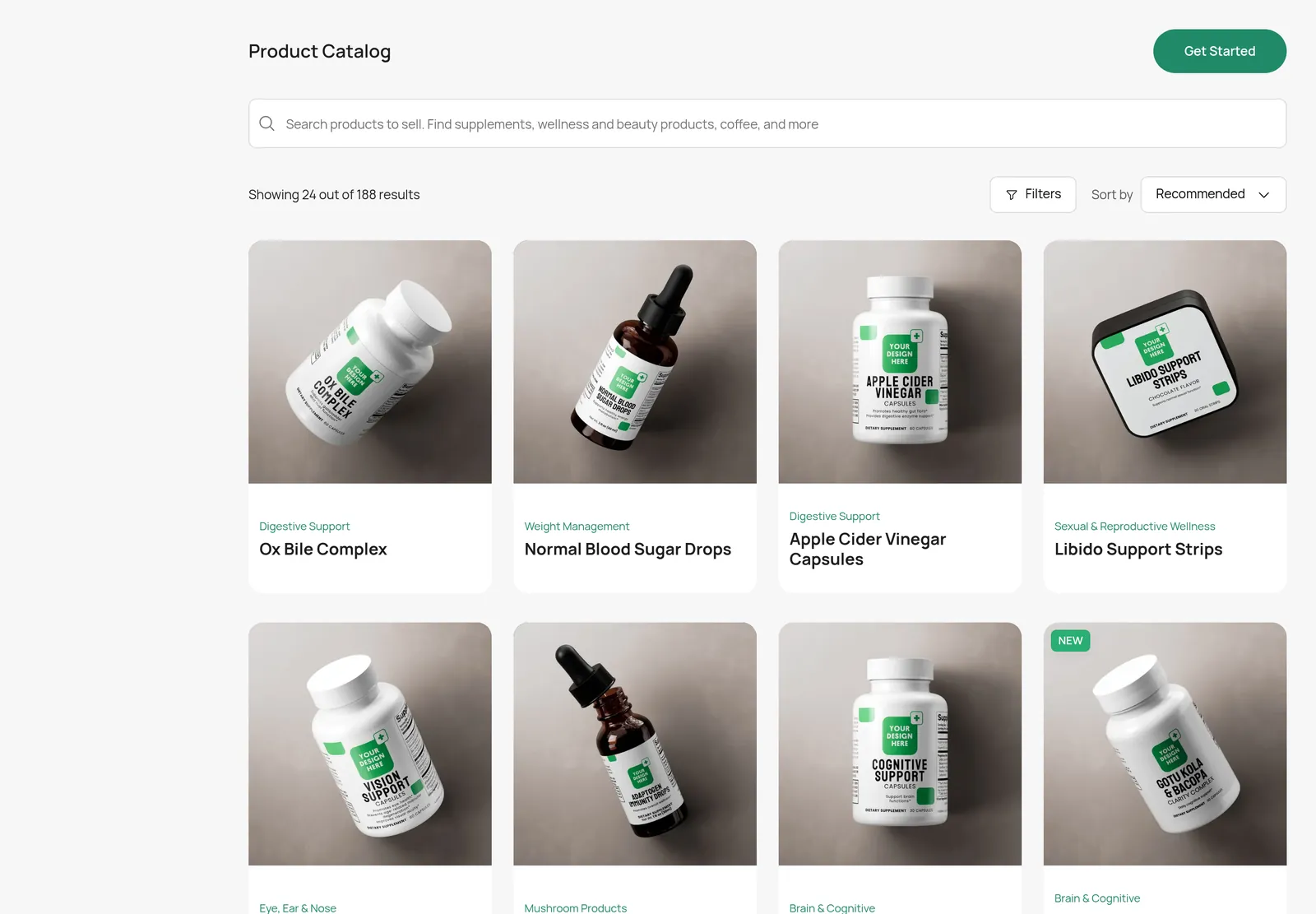
The default Supliful catalog also includes products that are much more likely to conflict with Whop’s rules if you sell them, or if you reuse aggressive marketing copy:
- Sexual and reproductive wellness, such as Horny Goat Weed Blend, libido support, and similar products.
- Weight-management and “fat burner” positioning, such as Fat Burner with MCT and GLP-1 Support, plus keto-style weight-loss claims.
- Disease-adjacent or drug-like claims, including blood-sugar or vision products marketed as treatments, and any copy that says a product diagnoses, treats, cures or prevents a disease.
- Cannabis, CBD and THC, which Whop’s policy prohibits even if a given catalog search does not clearly list them.
- Peptides and medical services (including IV vitamin treatments). Whop’s docs flag peptides as a restricted overlap; do not assume a “peptide” face serum or research product is in the clear.
Even an everyday vitamin can be a problem if the product page promises to slow illness or treat a condition. If you sell a multivitamin, rewrite the claims conservatively and check Whop’s policy.
Step-by-step setup
1. Create your Whop account
Create a Whop account and set up your company. You will install apps onto this company in the steps below.
2. Create or connect a Shopify store
Use a Shopify store for the catalog, theme, cart and customer accounts. If you are connecting Shopify to Whop for the first time, the 4-step connect guide walks through that part.
3. Choose Supliful products and design your labels
Open the Supliful catalog, pick products from the conservative list above (or similar everyday items), and design labels that meet Supliful and FDA label rules. Supliful’s fulfillment docs say first-time labels go through verification, including a Statement of Identity such as “DIETARY SUPPLEMENT,” a complete business address, and an FDA disclaimer in the required format. Orders can sit on hold until a rejected label is corrected and re-uploaded to the same product listing.
4. Connect Supliful to Shopify and, if you use it, to Whop
Install Supliful: Dropship Supplements from the Shopify App Store (developer: Brand On Demand Inc.). Supliful’s help center covers connecting the store from My Stores → Shopify, and publishing products with “Publish to Shopify.”
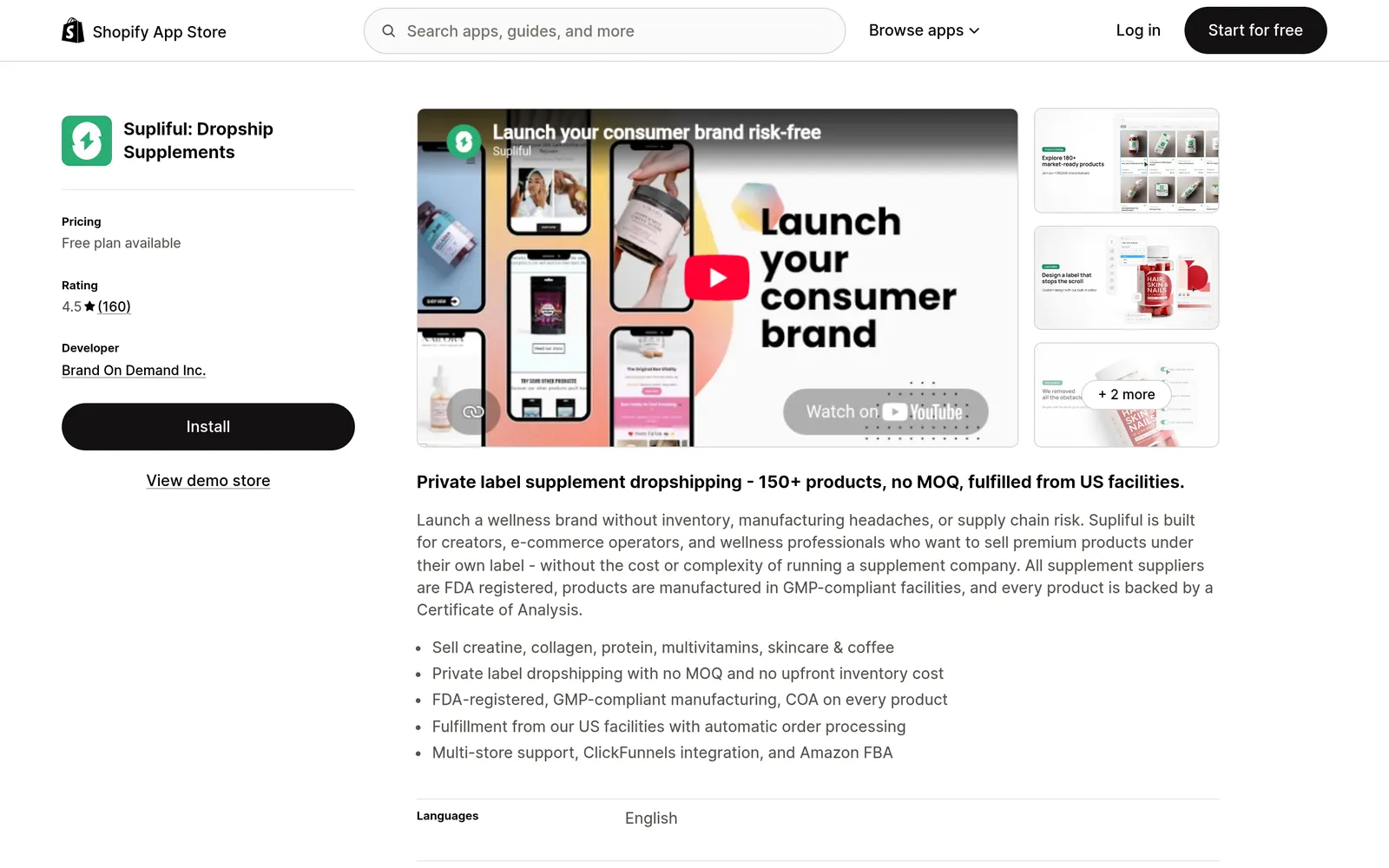
Automatic fulfillment is plan-dependent. On Shopify, Supliful’s free plan is aimed at publishing products and sample fulfillment; automatic order fulfillment is a Pro-plan feature (listed at $69/month or $660/year at the time we checked the listing). Supliful also documents turning on automatic fulfillment of line items in Shopify checkout/general settings, and says only products published from Supliful with “Publish to Shopify” fulfill automatically.
You can also install the Supliful app from the official Whop App Store. The listing is published by Derek, who is Whop’s Head of E-commerce. The overview describes connecting a Supliful account, mapping products, automatically sending paid orders and eligible subscription renewals for fulfillment, viewing order status, syncing shipment tracking, and enabling or pausing automatic fulfillment. It requires a Supliful account with API access and a plan eligible for fulfillment. Product and shipping costs are billed by Supliful, not by Whop.
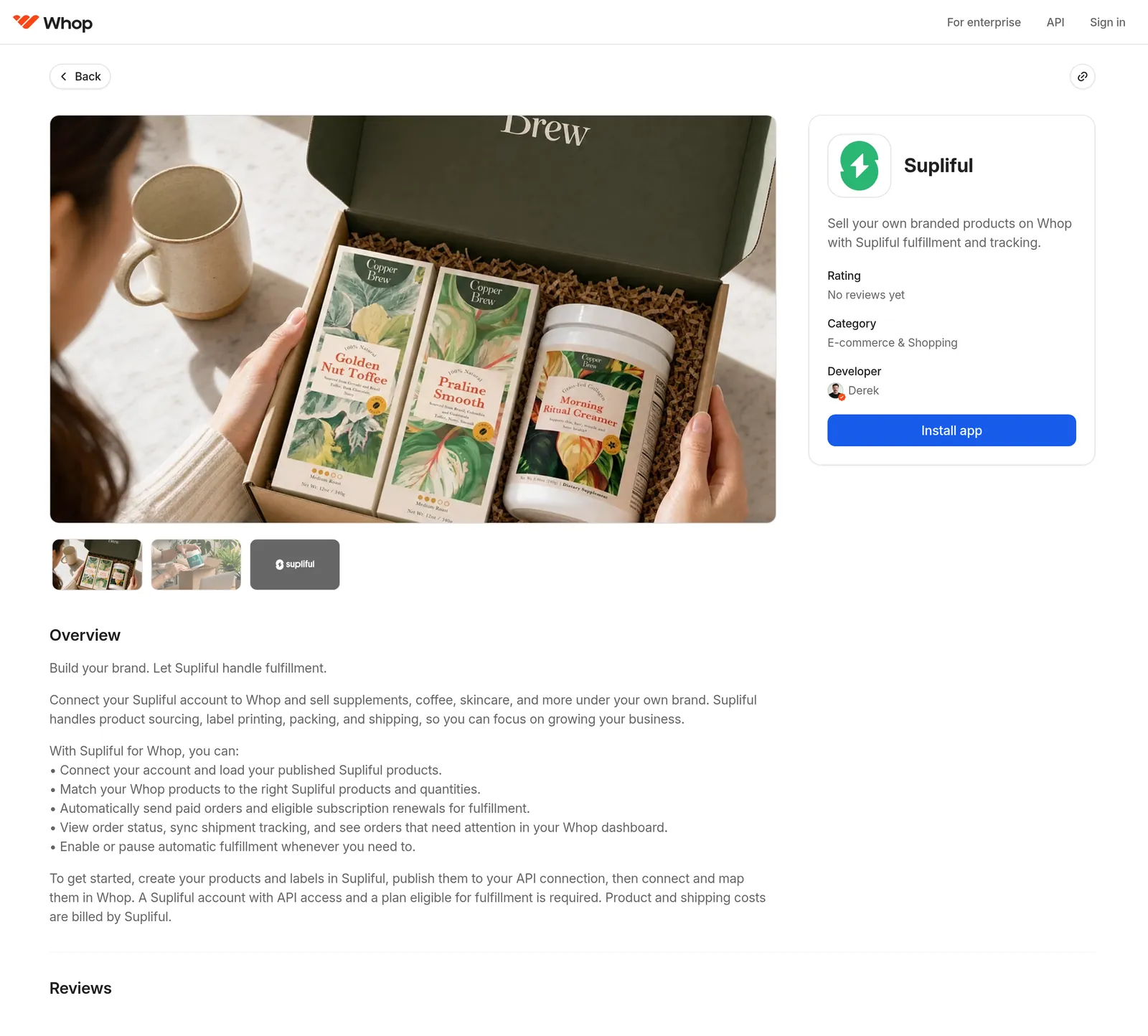
Do not describe every Supliful account as auto-shipping by default. Turn automatic fulfillment on only when your plan supports it, then place a test order.
5. Install our app and take Shopify payments through Whop
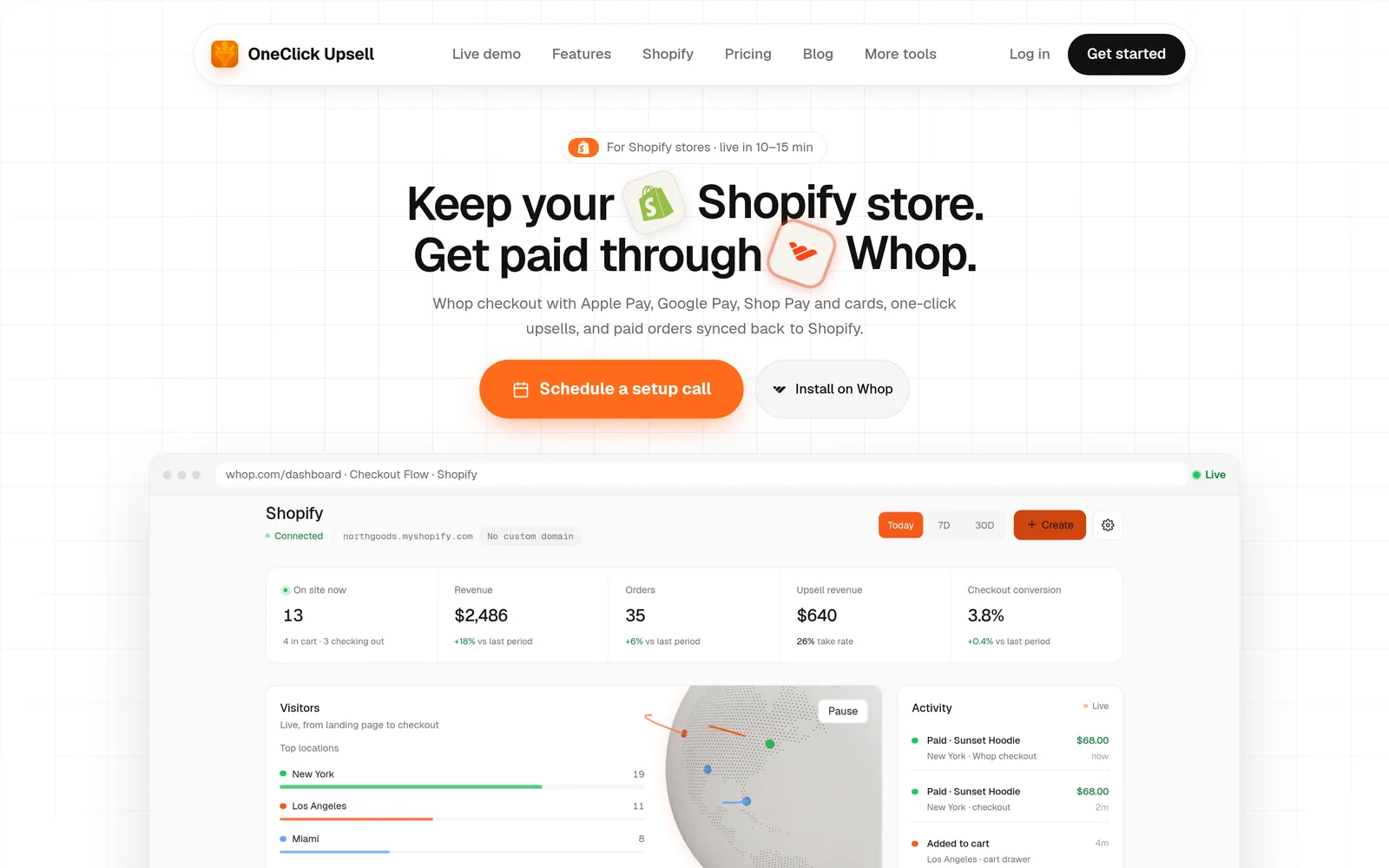
Install our app from the official Whop App Store, connect your Shopify catalog, and use Whop to take payment while the storefront stays on Shopify. The Shopify screen in the app is where you manage that connection.
6. Add an order bump or one-click upsell
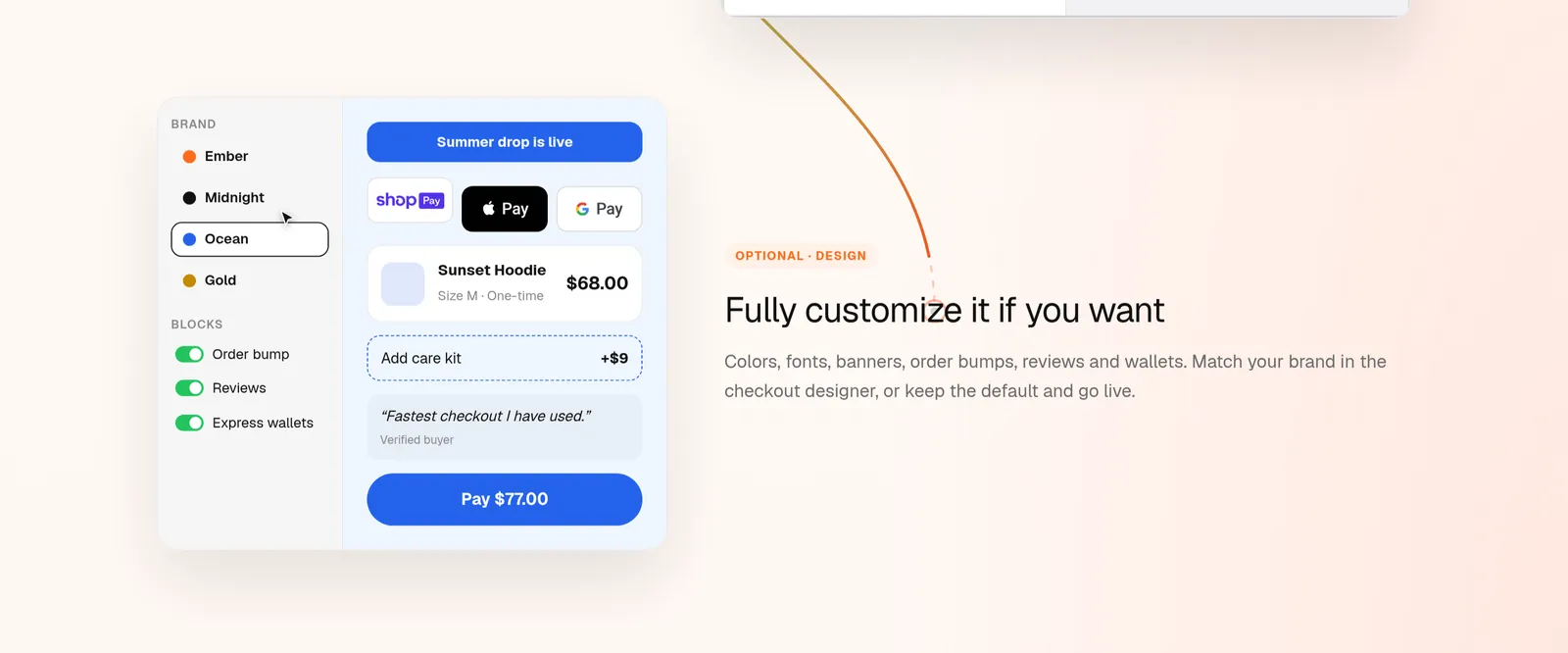
A simple supplement offer is the creatine tub with an option to add whey protein or a hydration powder at checkout. You can do that as an order bump on the checkout page, or as a one-click upsell after payment for Whop-paid checkouts (card, Apple Pay or Google Pay). Shop Pay buyers skip one-click upsells and go on to the thank-you page, so keep the bump on the checkout itself if Shop Pay matters to you.
7. Offer Shop Pay on hosted Shopify checkout (optional)
You can offer Shop Pay on the hosted Shopify checkout buyers reach from your Shopify cart, including a custom checkout domain once that address is allowlisted. It sits beside Apple Pay and Google Pay. This is not Shop Pay on a regular Whop product or funnel checkout, and it is not a script you drop on any website.
Shop Pay is billed through Shopify Payments on a dedicated Wallet store, not as a Whop payment, so those payouts follow the Wallet store rather than your Whop balance. The paid order still syncs back to Shopify for fulfillment. How to use Shop Pay on a Whop checkout has the full setup.
Set up your business for success on Whop
Platform policy is only half of staying in good standing. Buyers need to know how to reach you, when the package should arrive, and how refunds work — especially for ingestible products.
Clear customer support
Publish a support email, a contact phone number, and the hours or response times you actually keep (for example, “We reply to email within one business day”). Put those details on your Whop page, in order confirmation emails, and on a contact page linked from checkout. A storefront that buries contact information is harder to defend if a buyer complains.
Refund policy
Write a refund policy in plain language: the window to request a return, whether opened supplements can be returned, who pays return shipping, and how refunds are issued. Link it from checkout and from your Whop page, and apply it consistently.
Shipping-time policy page
Supliful ships from its US fulfillment center. Its help center currently describes fulfillment as usually 2–5 business days after the order status changes to Accepted (the shipping-times article also mentions 1–5 business days, and larger orders can take longer). US regular delivery is listed as 2–4 business days via USPS; express is 1–3 business days via USPS Priority. International transit times and customs fees are documented separately. First-time label checks can add 24–48 hours, or longer if a label is rejected.
Put a shipping-time page on your store that reflects those ranges, plus a buffer for first orders and peak periods. Do not promise “ships tomorrow” unless you have tested that on your own orders.
Supplement disclaimer
Use the standard FDA-style disclaimer on product pages, checkout and ads:
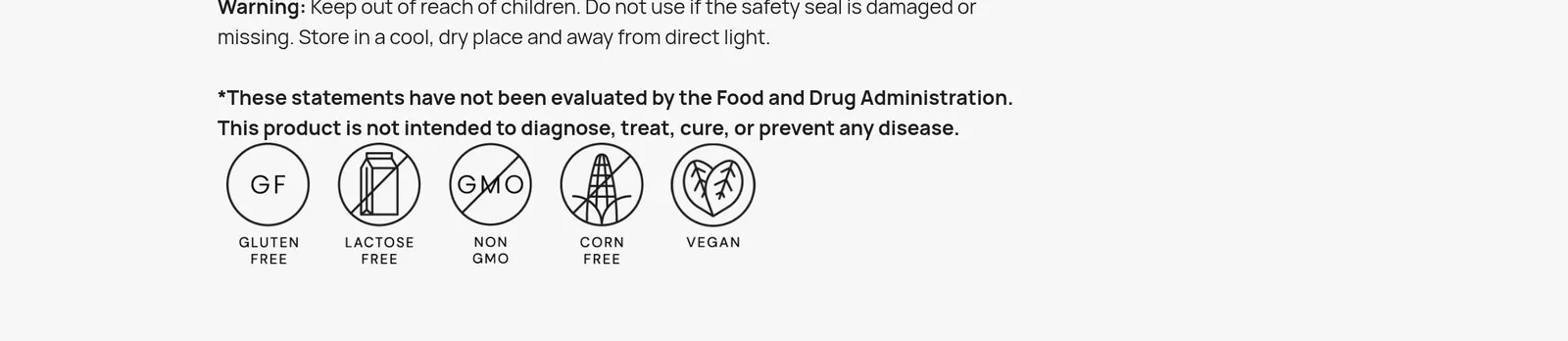
These statements have not been evaluated by the Food and Drug Administration. This product is not intended to diagnose, treat, cure, or prevent any disease.
Supliful’s own product pages use this language, and its fulfillment docs require the disclaimer on labels in the format they specify.
No excessive or medical health claims
Write about what the product is, not what disease it will fix.
| Use copy like this | Avoid copy like this |
|---|---|
| “Creatine monohydrate, a single-ingredient powder to mix with water as part of your training routine.” | “Cures fatigue,” “prevents disease,” or “clinically proven to treat [condition].” |
| “A chocolate whey protein blend to mix after workouts.” | “Burns fat fast,” “melts belly fat,” or “replaces your GLP-1 prescription.” |
| “A daily greens powder you can add to water or a smoothie.” | “Detoxes your liver,” “boosts immunity so you won’t get sick,” or “reverses aging.” |
| “Coffee beans, roasted and shipped to your door.” | “Cures insomnia,” “lowers blood pressure like a drug,” or any sexual-enhancement promise. |
If a claim would sound like a drug advertisement, do not use it. When in doubt, shorten the copy and check Whop’s policy, or ask Whop support before you publish.
Keep tracking numbers updated on Whop
Buyers who paid on Whop should be able to see shipment tracking there, not only in a Shopify email.
Here is how that actually works with our app: when Shopify sends a fulfillments/create or fulfillments/update webhook, the app saves the tracking number on the order and, for payments that have a Whop payment ID starting with pay_, posts that tracking code to Whop as a shipment. That covers the usual Whop-paid checkouts (card, Apple Pay and Google Pay).
Shop Pay charges are billed through Shopify Payments on the Wallet store and do not create that Whop pay_ payment, so tracking is saved in the app and on Shopify but is not pushed to Whop as a shipment. If you connected Shopify before fulfillment scopes were added, reconnect the store so the app can read fulfillments.
Supliful, on a plan that supports automatic fulfillment, can fulfill the Shopify order and add tracking that customers also receive by email and can see on the Shopify order. Our app then uses that Shopify fulfillment to update Whop for Whop-paid orders. Place a test order and confirm the tracking number appears in the right places before you scale up.
Next step
Create a Whop account, install our app from the official Whop App Store, connect Shopify, and publish a short, conservative first catalog. For the email side — abandoned-cart recovery, a welcome flow and reorder reminders — see EmailSync’s guide to selling supplements on Whop.
FAQ
Can I sell supplements on Whop?
Whop’s policy does not publish a simple yes-list of supplement SKUs. It prohibits unregulated supplements marketed with unsubstantiated therapeutic or health claims, plus cannabis/THC and adult sexual-gratification products. Everyday products such as protein, creatine, collagen, greens, hydration powders and coffee are more likely to stay within policy if you keep claims conservative, add a disclaimer, and set up clear support and shipping pages. That is not a Whop approval — check Whop’s policy and ask Whop if you are unsure.
Is every product in the Supliful catalog allowed on Whop?
No. The catalog includes sexual-wellness, weight-management and other claim-heavy items. The Supliful app existing on the official Whop App Store is not approval of every catalog product. Start with ordinary sports-nutrition and beverage SKUs and rewrite any vendor copy that overreaches.
Does the Supliful app automatically ship my orders?
Only if your Supliful plan is eligible for automatic fulfillment and you have turned that on. The Shopify app’s automatic fulfillment is a Pro-plan feature; the Whop app listing requires API access and a plan eligible for fulfillment. The free Shopify plan is not full auto-fulfillment.
Does your app sync tracking numbers to Whop automatically?
For Whop-paid orders (card, Apple Pay or Google Pay), yes: when Shopify records a fulfillment with a tracking number, our app saves it and posts it to Whop as a shipment on that payment. Shop Pay orders are billed through Shopify Payments, so tracking stays on Shopify and in the app and is not sent to Whop as a shipment. You may need to reconnect Shopify if fulfillment permissions were added after you first connected.
Can I use Shop Pay if I sell this way?
Yes, on the hosted Shopify checkout from our app, including a custom checkout domain once it is allowlisted. Shop Pay is billed through Shopify Payments on a dedicated Wallet store, not as a Whop payment. It does not appear on regular Whop funnel or embed checkout. See How to use Shop Pay on a Whop checkout.
Do Shop Pay buyers see one-click upsells?
No. Shop Pay buyers skip one-click upsells for now and go on to the thank-you page. Use an order bump on the checkout page if you want that offer in front of Shop Pay customers too.
Ready to raise your order value?
Install OneClick Upsell on Whop and build your first upsell funnel today.
Some links to Whop on this site are affiliate links. If you sign up through them we may earn a commission, at no extra cost to you.