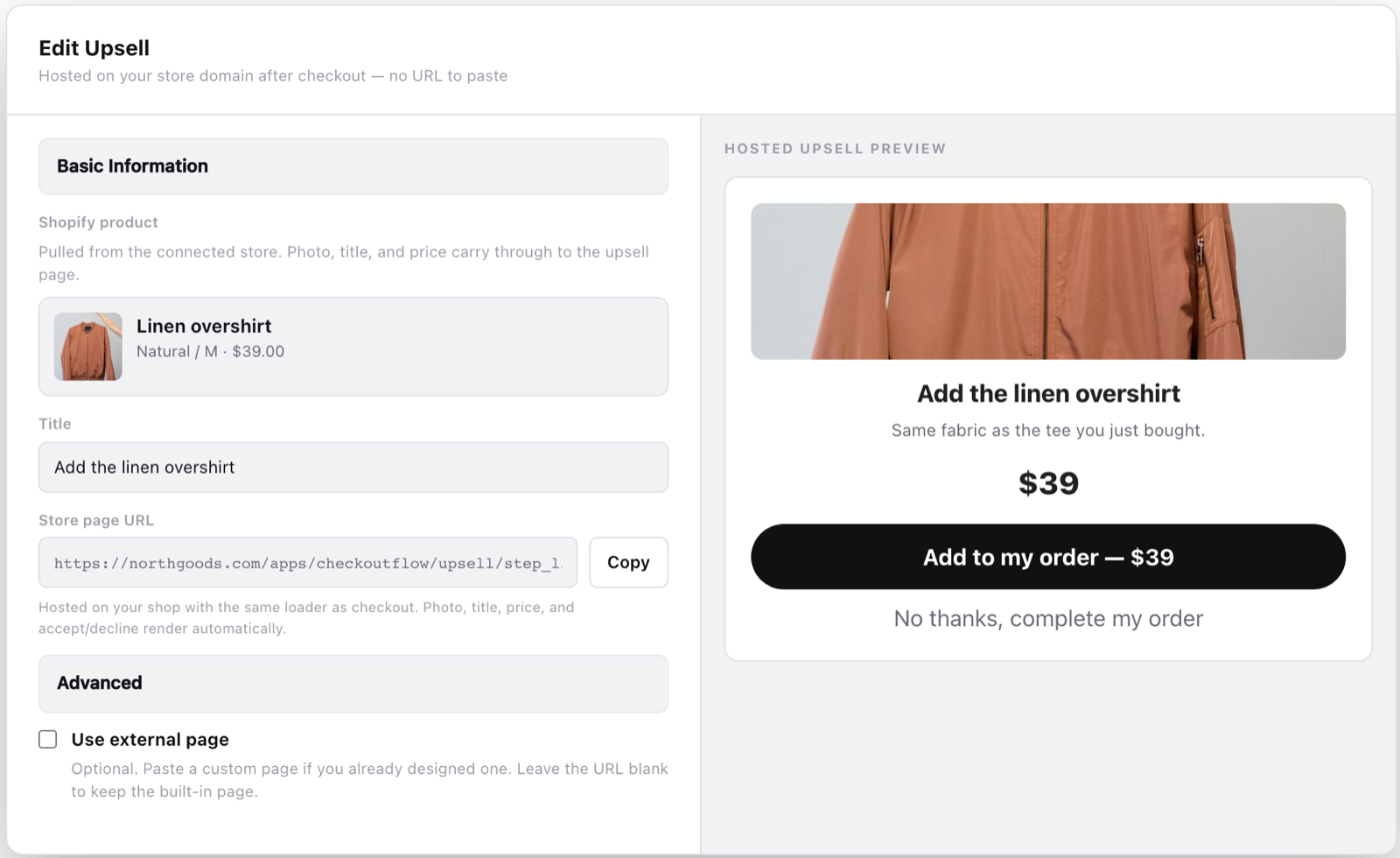
Offers run after the intercepted checkout and add lines to the Shopify order.
One-click upsell
Off
Shown right after payment. One tap adds the item to the Shopify order.
Not set up
Subscription
Off
Turn a product into a recurring plan billed by Whop, with your discount and interval.
Not set up
Thank-you page
Live
Message, media, a recommended product, socials and trust badges on the hosted thank-you page.
Default
Downsell
Off
A cheaper alternative shown only to buyers who said no to the upsell.
Not set up
Subscriptions
Subscribe & save, billed by Whop
MRR$0No billed plans yet
Subscribers00 this week
Renewing in 7d0$0
Churn—30 days
Pick products to offer Subscribe & save at checkout.
Worth knowing
Insights appear after the first Shopify checkouts.
Traffic sources
Source mix fills in from landing URLs on checkout sessions.
Checkout takeover
· ping Pinged just now
Checkout takeoverCart, drawer and /checkout links go to Whop
Cart pageSame handoff when the buyer is on /cart
Cart drawerReplace the theme drawer
Attached funnel
The problem
One payout hold can stall your whole store
90 days
Funds frozen during a review
Shopify Payments can pause payouts or hold funds while your account is reviewed. Usually right when sales pick up and you need cash for ads and stock.
Payout · $12,480On hold
Payout · $8,915On hold
Payout · $4,230Reserve 25%
25%
Rolling reserves
A slice of every sale can be held back for weeks.
1
Single point of failure
If Shopify Payments is limited, checkout breaks first.
The fix
Your store stays on Shopify. Your money moves to Whop.
Only the payment step moves.
Buyers browse your theme, fill their Shopify cart and use your discounts exactly as before. When they pay, the charge runs through your Whop company, and the paid order lands back in Shopify.
Stays on Shopify
Theme, products and collections
Cart, apps and discounts
Orders and fulfillment
Refunds from Shopify admin
Moves to Whop
Card, Apple Pay and Google Pay charges
Payouts to your Whop balance
One-click upsells on the same card
Shipment tracking on each payment
How it works
Shopify cart, Whop checkout
The actual checkout, piece by piece.
Real Checkout Flow screens on sample data, broken into the parts your buyers see: checkout, one-click upsell and thank-you page. Switch between desktop and mobile.
Checkout · 1 of 5
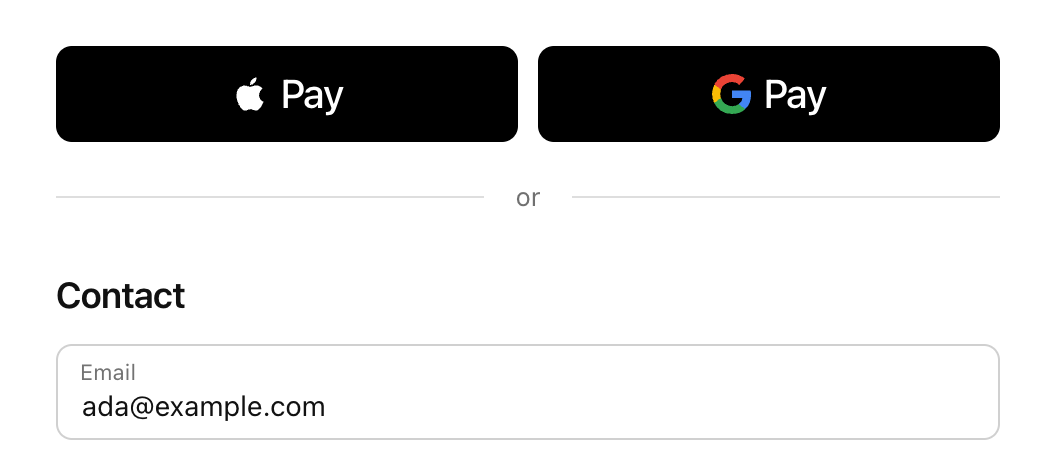
Express wallets first
Apple Pay and Google Pay sit at the top, so returning buyers pay in one tap. Email is captured next for receipts and order updates.
checkout.yourstore.com
Checkout · 2 of 5
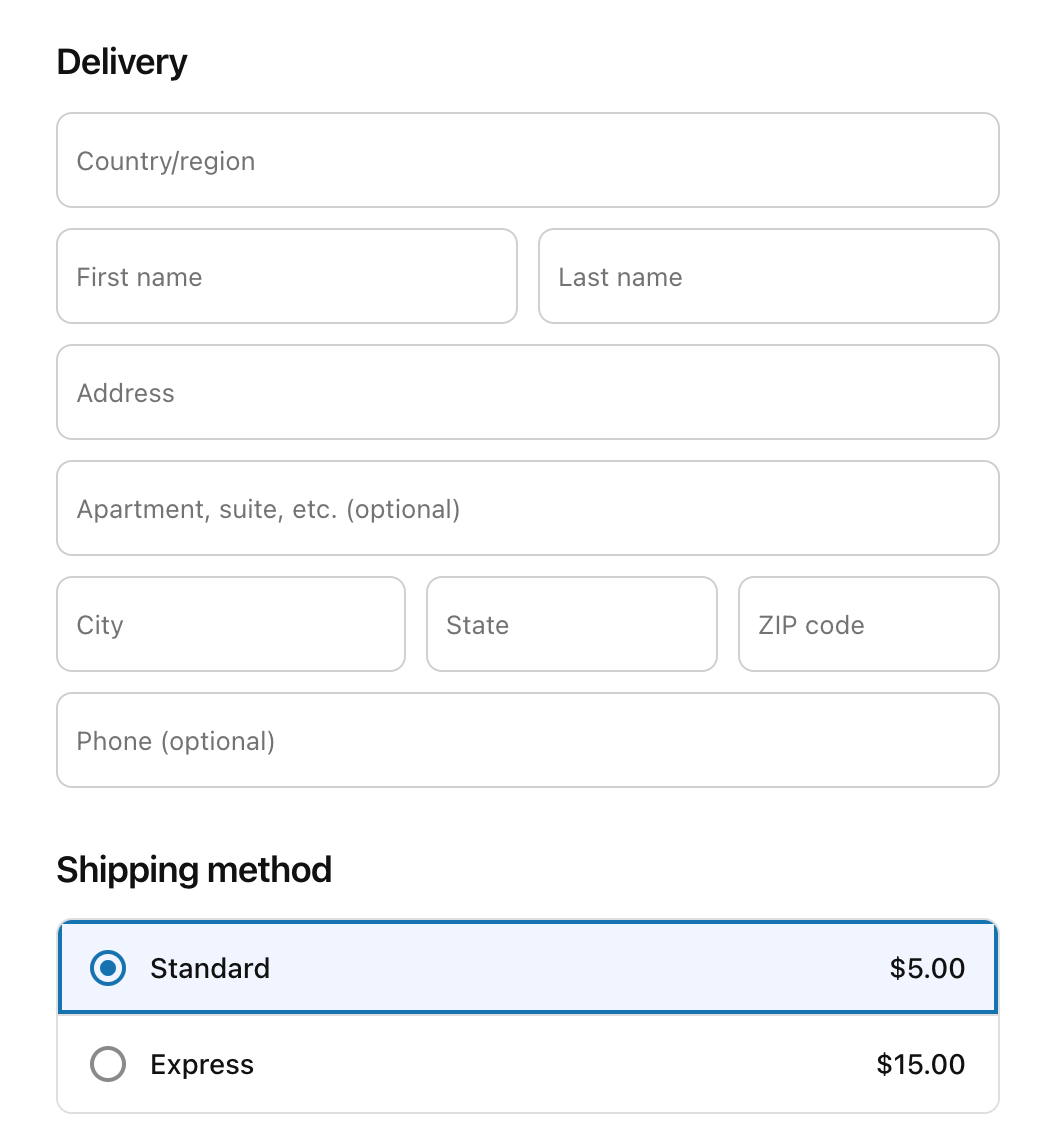
Delivery and shipping rates
A familiar Shopify-style address form, with the shipping rates you already set. Buyers pick Standard or Express and the total updates.
checkout.yourstore.com
Checkout · 3 of 5
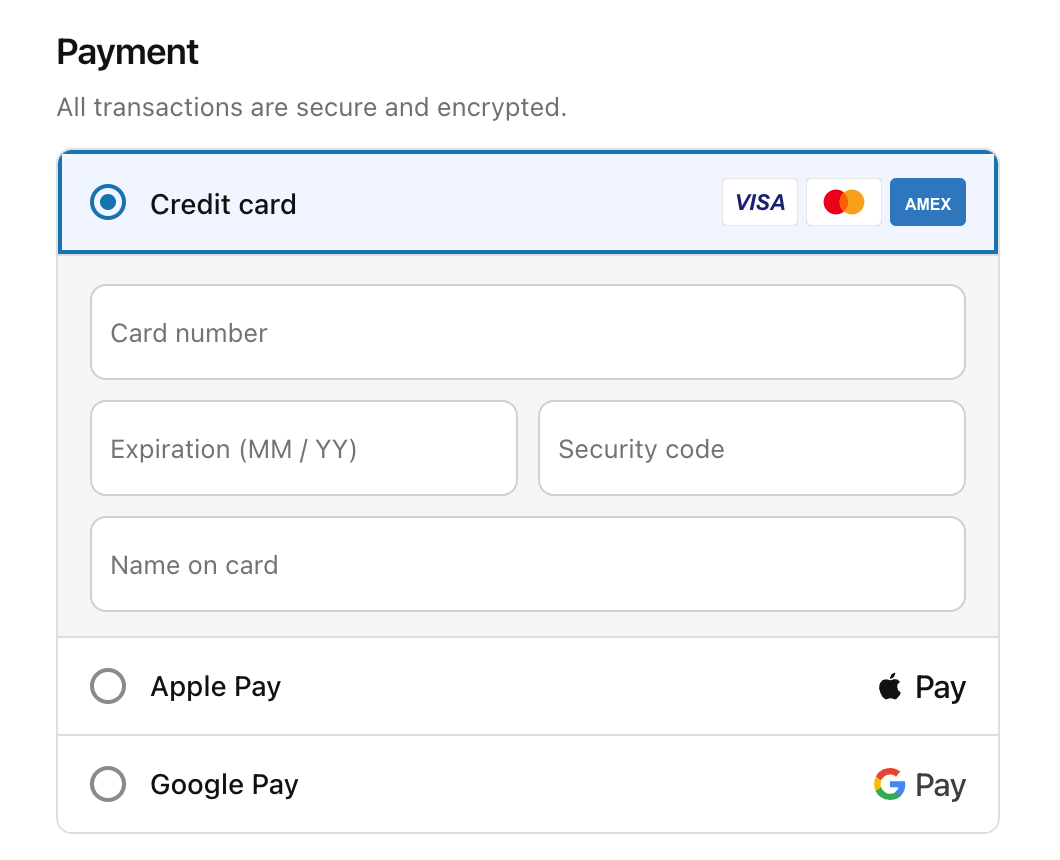
Cards and wallets, charged by Whop
Card fields, Apple Pay and Google Pay in one secure payment block. Every charge runs through your Whop company, not Shopify Payments.
checkout.yourstore.com
Checkout · 4 of 5
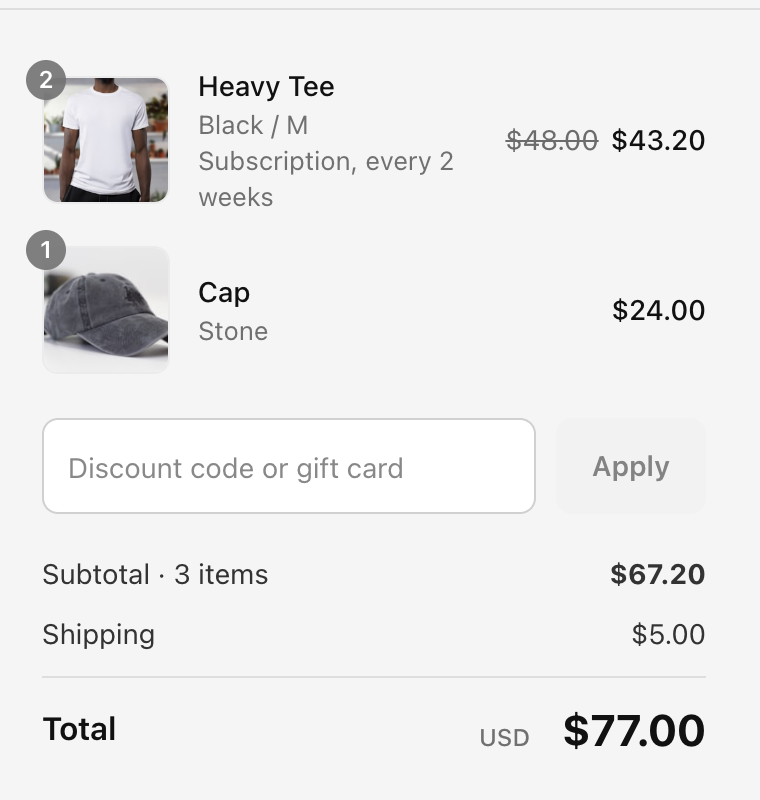
Order summary from the Shopify cart
Line items, variants, subscription pricing, discount codes and totals come straight from the buyer’s Shopify cart.
checkout.yourstore.com
Checkout · 5 of 5
One clear Pay now button
A single call to action with your policies underneath. After payment the buyer goes straight to your one-click upsell.
checkout.yourstore.com
Upsell · 1 of 3
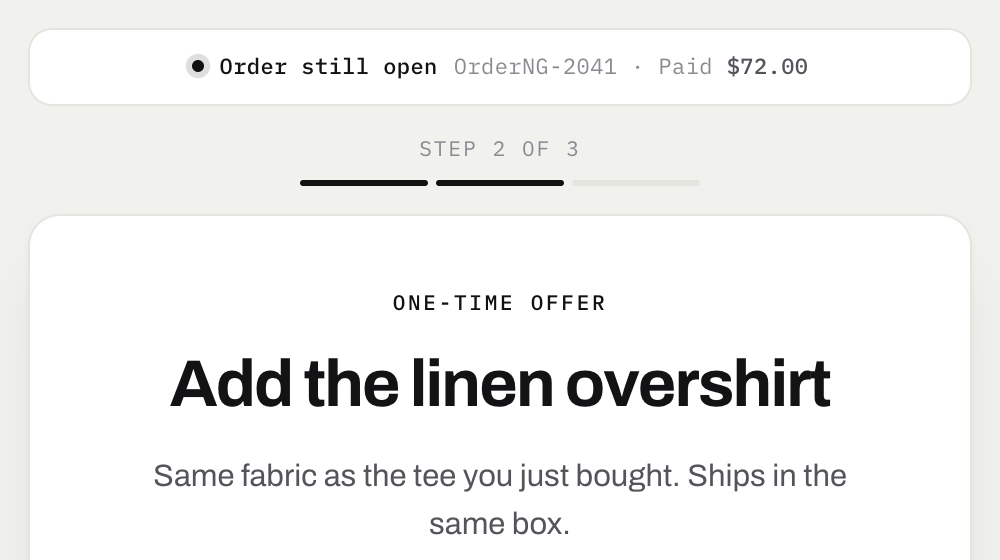
A one-time offer, right after payment
The order is still open, so the offer can be added to the same Shopify order. A progress bar shows the buyer where they are.
checkout.yourstore.com/upsell
Upsell · 2 of 3
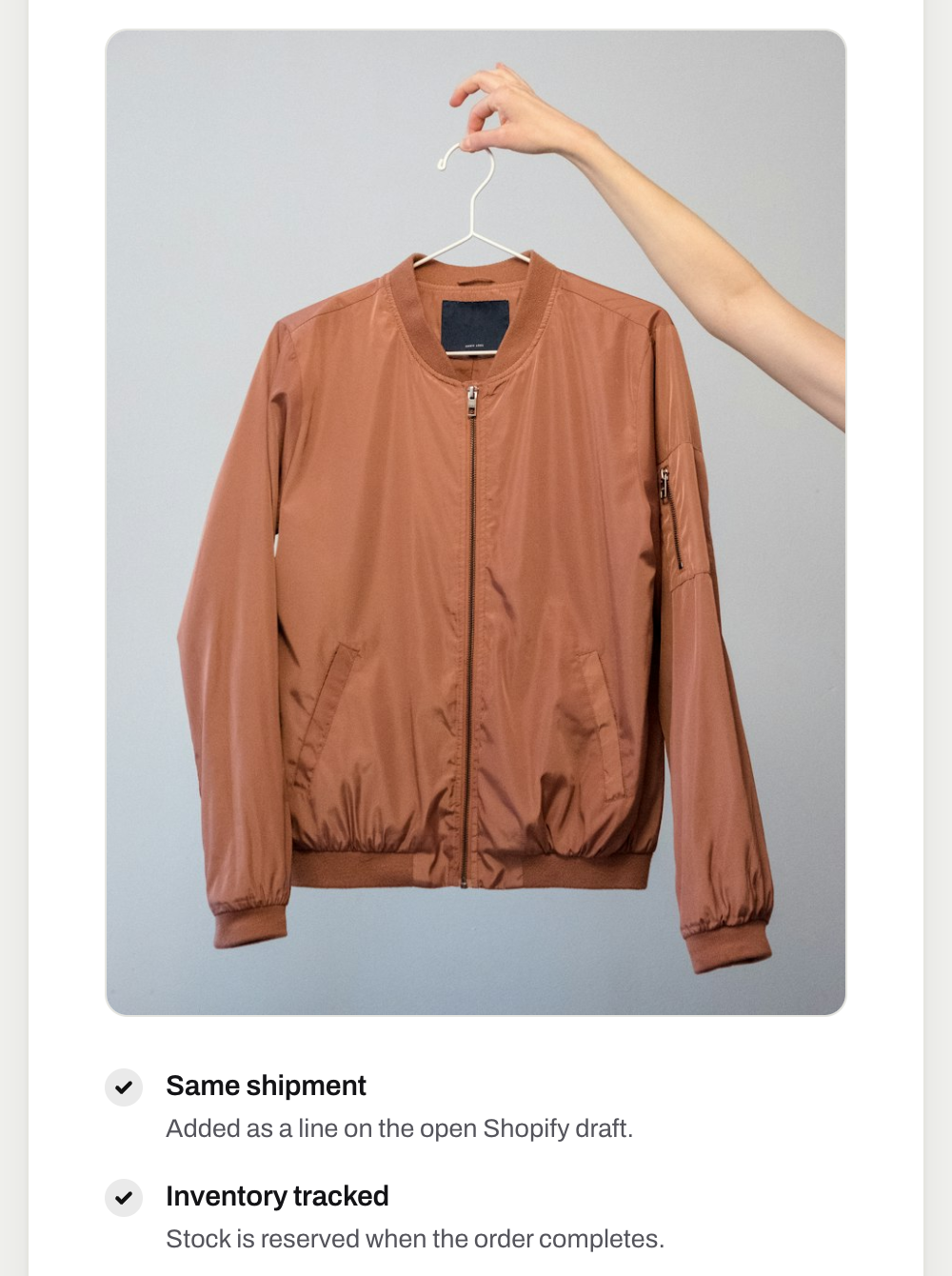
Show the product and why it fits
Large product image and short reasons to buy, like same shipment and tracked inventory.
checkout.yourstore.com/upsell
Upsell · 3 of 3
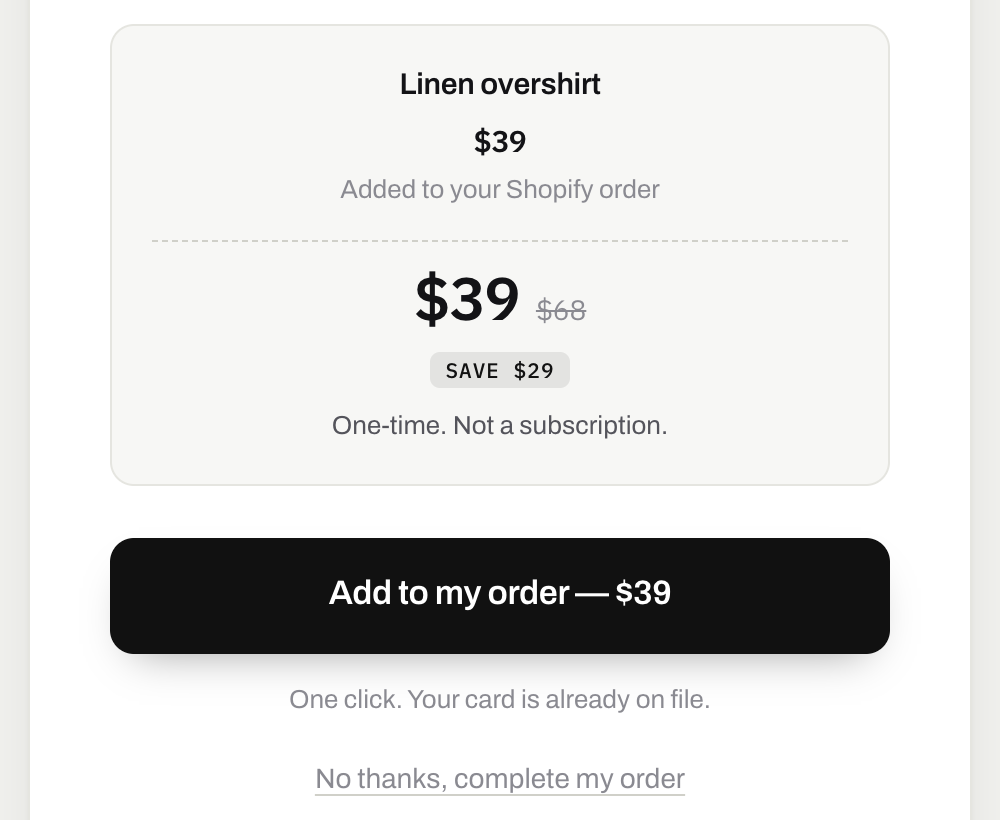
One click, same card
The discounted price and a single Add to my order button. The card on file is charged by Whop, with no details to re-enter.
checkout.yourstore.com/upsell
Thank you · 1 of 4
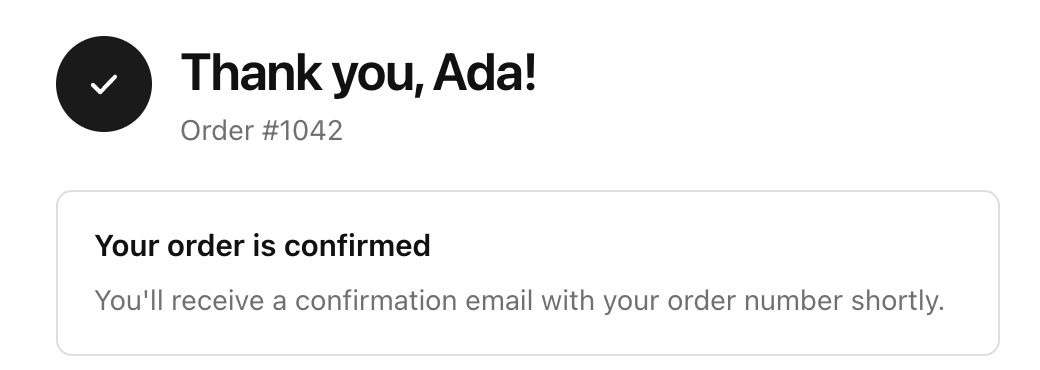
A clean confirmation
Buyers see their name, order number and a confirmation note on a page styled like your store.
yourstore.com/thank-you
Thank you · 2 of 4
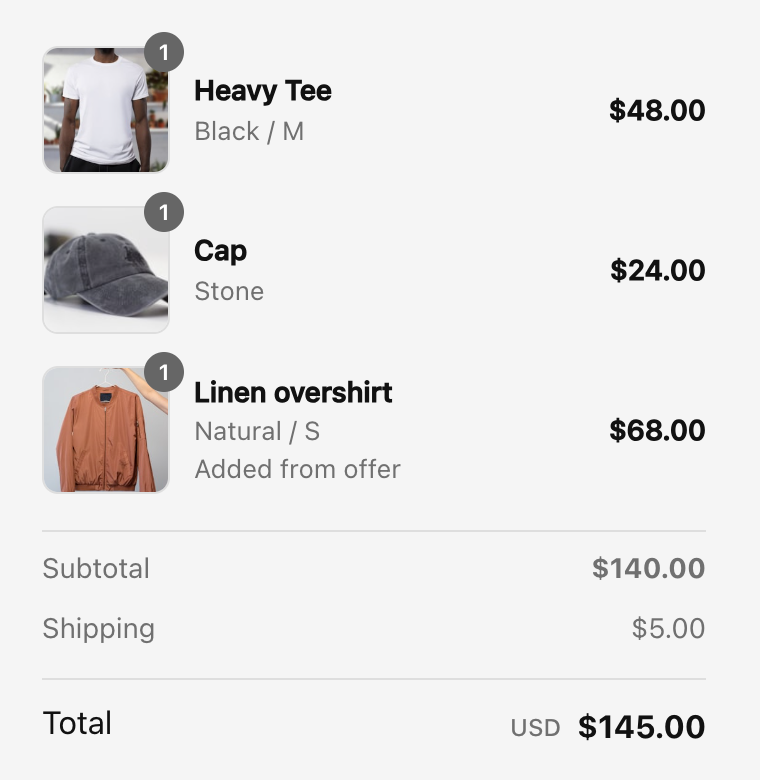
Every item, including the upsell
The full order, with the accepted upsell marked as added from offer, and the paid order created in Shopify for fulfillment.
yourstore.com/thank-you
Thank you · 3 of 4
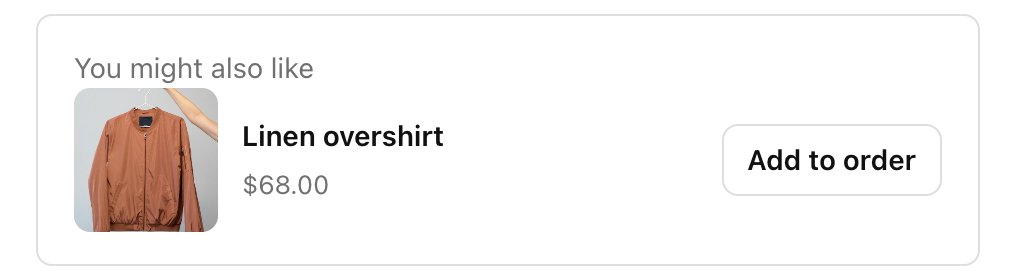
One more offer, one tap
The thank-you page can carry its own offer. One tap adds it to the same order and charges the same card.
yourstore.com/thank-you
Thank you · 4 of 4
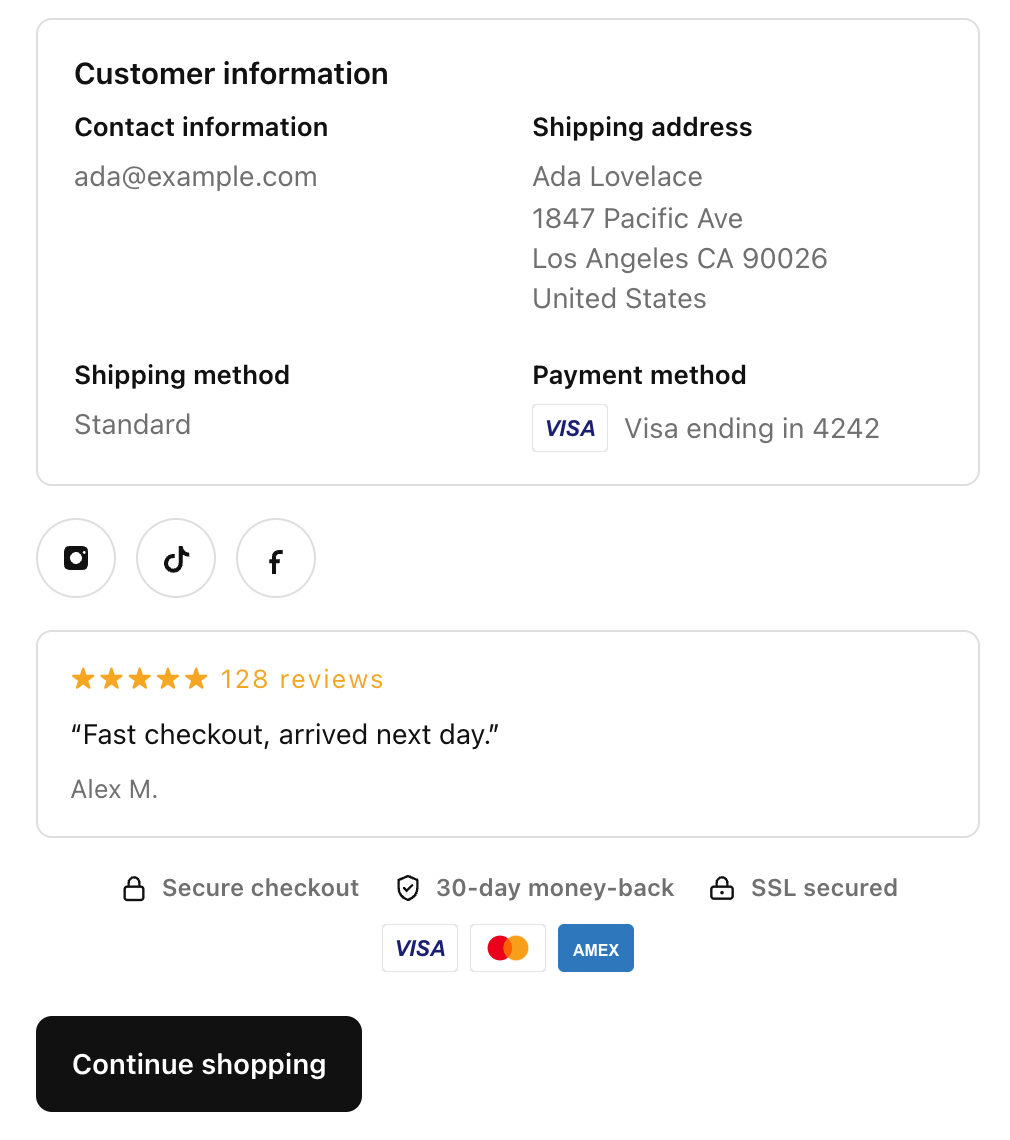
Customer details and trust
Contact, shipping and payment details, reviews, social links and trust badges, so buyers leave confident.
yourstore.com/thank-you
Funnel
Set the flow in your dashboard
Checkout, upsell, downsell and thank-you steps, edited from your Whop dashboard. No code.
whop.com/dashboard · Funnel
Optional · Design
Fully customize it if you want
Colors, fonts, banners, order bumps, reviews and wallets. Match your brand in the checkout designer, or keep the default and go live.
Brand
Ember
Midnight
Ocean
Gold
Blocks
Order bump
Reviews
Express wallets
Bundle and save 20%
PayPay
Sunset HoodieSize M · One-time
$68.00
Add care kit +$9
“Fastest checkout I have used.” Verified buyer
Pay $77.00
Tracking
Know where every order comes from
Every step from ad click to upsell is tracked and sent back to the platform that sent the buyer, deduplicated and server-side, so your ads optimize on real sales.
MetaFacebook + Instagram
TikTokPixel + Events API
SnapchatPixel + CAPI
GoogleAds + Analytics
ChatGPTAI referrals
ThreadsSocial referrals
01PageViewLands from a TikTok ad · utm_source=tiktok
02ViewContentSunset Hoodie · $68
03AddToCartShopify cart · 1 item
04InitiateCheckoutRouted to your Whop checkout
05Purchase$68 · sent once, server-side
06Upsell purchase+$24 · same order, same source
whop.com/dashboard · Live visitors
Live
On site now
12
Unique sessions · last 5 min
Revenue today
$2,418
Paid through Whop
Orders today
34
Synced to Shopify
Top locations
Whop Pixel + Meta Pixel
New York18
Los Angeles11
Miami8
Austin6
Chicago4
For finance and ops
Payouts, shipping and tracking, answered
What companies check before moving checkout payments to Whop.
01 / 07
Where does the money go, and how fast?
Every charge, upsells included, is a normal Whop payment in your Whop company. You withdraw on Whop, separate from Shopify Payments holds, reviews and rolling reserves.
Hoodie orderWhop balance
$49.00
Upsell: capWhop balance
$29.00
Subscription renewalWhop balance
$39.00
Payouts on Whop Withdraw on Whop’s payout schedule, not tied to Shopify Payments holds or reserves.
02 / 07
Does Whop get shipment tracking?
Yes. When you fulfill in Shopify, the tracking number is pushed to Whop as a shipment on that payment, so buyers and Whop see delivery status.
Order #1042 in ShopifyReady to fulfill
SYNCED
Tracking → Whop shipment1Z999AA10123456784
03 / 07
Will Whop and my ads know what I sell?
The Whop Pixel is installed on your checkout and tracks page and checkout events with UTM source. Purchases are recorded server-side by Whop, and Meta Pixel + Conversions API send one deduplicated purchase.
PageViewutm_source=meta · campaign=spring
InitiateCheckoutEveryday Hoodie · $49
Purchaserecorded server-side by Whop
Whop Pixel + Meta CAPI Whop sees what sold and where the buyer came from. Meta gets one deduplicated purchase.
04 / 07
Can buyers pay with Apple Pay and Google Pay?
Yes, on supported devices, plus cards. Upsells charge the same method in one click.
Payment succeededCharged to your Whop company
PAID
Settles on WhopNot held by Shopify Payments
$78
05 / 07
What happens with refunds?
Refund in Shopify admin (full or partial) and the matching Whop payment is refunded automatically.
Order #1042 in ShopifyReady to fulfill
SYNCED
Tracking → Whop shipment1Z999AA10123456784
06 / 07
Can I sell subscriptions and free trials?
Yes. Recurring plans are billed by Whop, and upsells can be $0 free trials that convert later.
Checkout
Upsell
Downsell
Thank you
07 / 07
Can it run on my domain?
Yes, for example checkout.yourbrand.com, with checkout translation for international buyers.
Your banner, your headline
Pay $78.00
Blank canvas design · drag-and-drop
Setup
Live in 10–15 minutes
No theme.liquid edits, no developer.
OneClick UpsellWhop App Store
Install
12 min
Install the app on Whop
Add it to your Whop company and pick a Shopify plan.
northgoods.myshopify.comStore connected
25 min
Connect your Shopify store
Guided onboarding connects your store in a couple of clicks.
Checkout routingSending checkouts to Whop
310 min · Live
Turn it on. You are live.
Run a test order and go live. Native checkout stays as a fallback.
Payments, offers, sync and tracking in one Whop app.
Whop payments with express wallets
Cards, Apple Pay, Google Pay and PayPal charged through your Whop company, plus a Buy now button that skips the cart. PayPal runs through Whop, so you do not need your own PayPal account.
PayPay
Upsells and downsells
One-click offers on the card they just used.
+26% avg take rate
Order sync
Paid orders land in Shopify. Fulfillments sync back to Whop as shipments.
Refunds from Shopify
Refund in Shopify admin, full or partial, and Whop refunds too.
Order #1042Refunded $24
Subscriptions
Recurring products billed by Whop from your storefront.
Coffee club$39 / mo
Pixels, CAPI and full funnel tracking
Browser and server events, deduplicated. See visits, checkouts, upsell takes and revenue from landing to thank-you.
Custom domain
Checkout on your own domain.
checkout.yourbrand.com
Translation
Checkout in your buyer’s language.
ENESFRDEPT
Shipment tracking on Whop
Tracking numbers from Shopify fulfillments attach to each Whop payment, so buyers and Whop see delivery status.
FulfilledIn transitDelivered
Pricing
Simple monthly plans
Early users: the platform percentage is waived for now.
Whop’s own payment processing fees apply on every charge, separate from our plan.
Questions, answered
What Shopify merchants ask before switching checkout to Whop.
No. Checkout Flow is not listed as a Shopify payment provider. Your storefront stays on Shopify, and at checkout buyers are handed to a Whop-powered checkout page. Paid orders are then created back in Shopify.
No. The basic install uses in-app onboarding with no theme.liquid edits. Most stores are live in 10 to 15 minutes.
To your Whop company. Every charge, including upsells, is a normal Whop payment and pays out on Whop.
Two plans: $99.95/mo (1% platform fee) or $149.95/mo (0.5% platform fee). Early users have the platform percentage waived for now. Whop’s own processing fees still apply.
Yes. Paid orders sync into Shopify for fulfillment, and when you fulfill, tracking syncs back to Whop.
Refund the order in Shopify admin as usual. We pick up the refund and refund the matching Whop payment, full or partial.
Because buyers pay through Whop, your checkout doesn’t depend on Shopify Payments. You still need to follow Shopify’s and Whop’s terms.
Yes. Apple Pay and Google Pay on supported devices, cards, and PayPal through Whop, with no PayPal account of your own needed. Plus a Buy now button on product pages.
Keep selling. Get paid through Whop.
Install in 10–15 minutes. From $99.95/mo, platform % waived for early users.